
Understanding Events in JavaScript: A Complete Guide
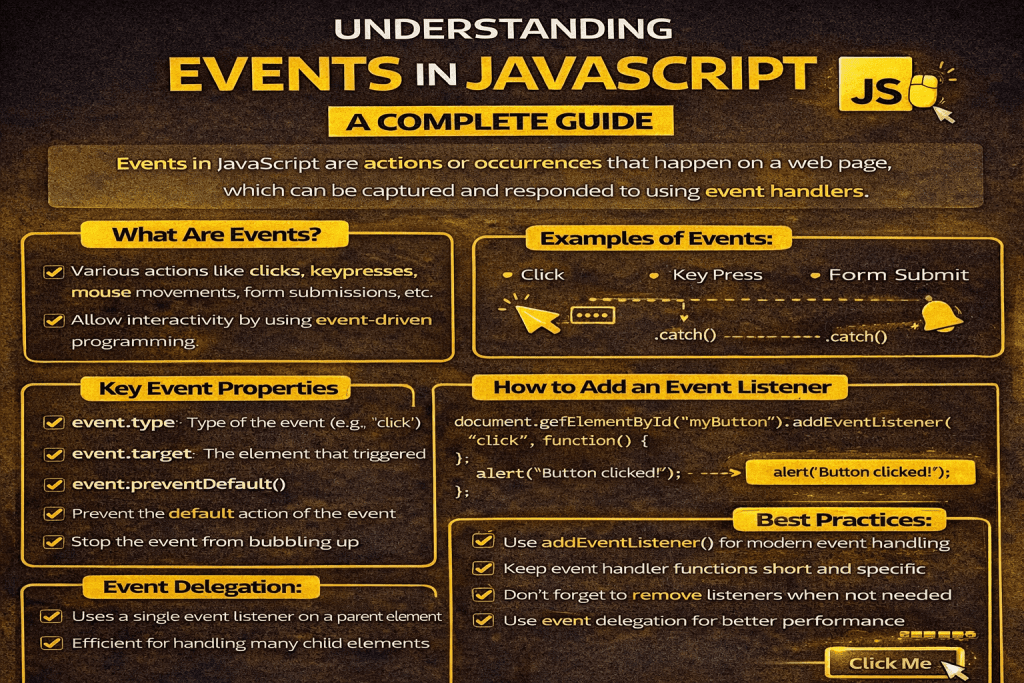
JavaScript is the backbone of interactive web applications. It allows us to make static web pages dynamic, responsive, and user-friendly. At the core of this interactivity lies the concept of events.
In this blog, we’ll explore:
- What events are
- Different types of events in JavaScript
- How to handle events
- Event bubbling and capturing
- Event delegation
- Best practices for using events
✅ What are Events in JavaScript?
An event in JavaScript is an action or occurrence that happens in the browser and can be detected by JavaScript.
👉 Examples of events:
- A user clicks a button
- A web page finishes loading
- A key is pressed on the keyboard
- A form is submitted
- The mouse hovers over an element
JavaScript listens for these events and executes a block of code (known as an event handler) when the event occurs.
⚡ Types of Events in JavaScript
Events in JavaScript can be broadly categorized into different types:
1. Mouse Events
These occur when a user interacts with the mouse.
click– Fired when an element is clickeddblclick– Double-clickmouseover– When the mouse pointer enters an elementmouseout– When the mouse pointer leaves an elementmousemove– When the mouse is moved within an element
document.getElementById("btn").addEventListener("click", function() {
  alert("Button clicked!");
});
2. Keyboard Events
Triggered by user interactions with the keyboard.
keydown– When a key is pressed downkeyup– When a key is releasedkeypress– When a key is pressed and released
document.addEventListener("keydown", function(event) {
  console.log("Key pressed: " + event.key);
});
3. Form Events
Related to forms and input fields.
submit– When a form is submittedchange– When the value of an input changesfocus– When an input gains focusblur– When an input loses focus
document.getElementById("myForm").addEventListener("submit", function(e) {
  e.preventDefault(); // prevent page reload
  alert("Form submitted!");
});
4. Window/Document Events
These occur at the browser or document level.
load– When the page has fully loadedresize– When the browser window is resizedscroll– When the page is scrolledunload– When the page is about to be closed
window.addEventListener("load", function() {
  console.log("Page fully loaded");
});
5. Touch & Mobile Events (for mobile devices)
touchstart– When a finger touches the screentouchend– When a finger is liftedtouchmove– When a finger moves on the screen
🛠 How to Handle Events in JavaScript
There are multiple ways to attach event handlers:
1. Inline Event Handlers (not recommended)
<button onclick="alert('Clicked!')">Click Me</button>
2. DOM Property Method
document.getElementById("btn").onclick = function() {
  alert("Button clicked!");
};
3. addEventListener() Method (Recommended)
This is the modern and most flexible way.
document.getElementById("btn").addEventListener("click", function() {
  alert("Clicked using addEventListener!");
});
✅ Advantages:
- Allows multiple event listeners on the same element
- Supports options like event capturing and once execution
🔄 Event Bubbling and Capturing
When an event occurs, it doesn’t just stay on the target element—it propagates through the DOM.
1. Event Bubbling (Default)
The event starts from the target element and moves upward to its parents.
2. Event Capturing
The event starts from the root (document) and moves downward to the target.
👉 You can control this behavior with addEventListener’s third parameter:
// Bubbling (default)
element.addEventListener("click", handler, false);

// Capturing
element.addEventListener("click", handler, true);
🔀 Event Delegation
Event delegation is a powerful technique where instead of attaching an event to multiple child elements, you attach it to a parent element and handle events via bubbling.
Example: Click event on multiple list items (<li>) using only one event listener on the parent <ul>.
document.getElementById("myList").addEventListener("click", function(event) {
  if (event.target.tagName === "LI") {
    alert("You clicked: " + event.target.innerText);
  }
});
👉 Benefits:
- Improves performance
- Cleaner code
- Works even for dynamically added elements
📌 Best Practices for Using Events
- Prefer addEventListener over inline event handlers.
- Use event delegation for lists, tables, or dynamic elements.
- Always remove event listeners when no longer needed (
removeEventListener). - Prevent default behavior (like form submit reload) when required using
event.preventDefault(). - Avoid memory leaks by cleaning up listeners on page unload.
🎯 Conclusion
Events in JavaScript are the foundation of interactivity on the web. From clicks and key presses to scrolls and touches, events allow developers to create responsive and engaging user experiences.
By mastering event handling, bubbling, capturing, and delegation, you’ll have the tools to build modern, efficient, and interactive web applications.