
MySQL Replication: A Complete Guide
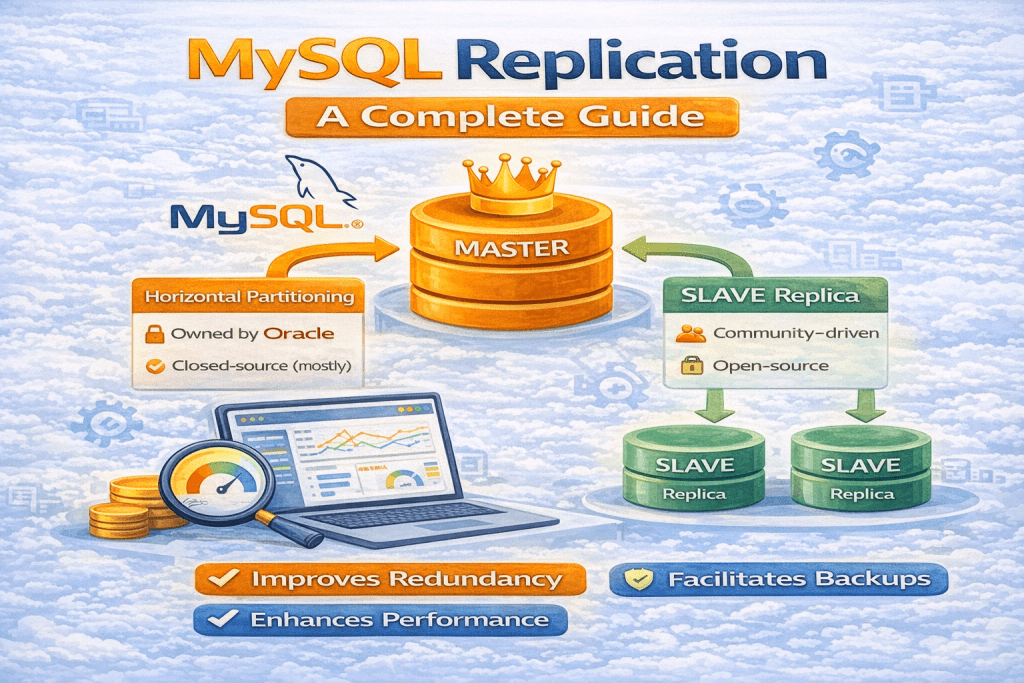
Replication in MySQL is a critical feature for creating high availability, improving performance, and enabling disaster recovery. It allows data to be copied from one database server to another, ensuring consistency across multiple servers. In this blog, we’ll cover everything you need to know about MySQL replication — how it works, types, topologies, advantages, limitations, and setup.
1. What is Replication in MySQL?
MySQL replication is the process of copying data from a master server to one or more slave servers (also called replicas). The master server handles the original data, and changes made to it are propagated to the slave servers, creating an exact copy of the database.
This mechanism is widely used in production environments for:
- High availability: Ensuring databases are accessible even if the master fails.
- Load balancing: Distributing read operations to slaves to reduce the master’s workload.
- Backups and disaster recovery: Creating live copies of the database for backup purposes.
2. How MySQL Replication Works
Replication is achieved using the binary log (binlog) of the master server:
- The master server logs all changes (INSERT, UPDATE, DELETE) to the binary log.
- The slave server connects to the master and reads the binary log events.
- The slave applies these changes to its own database to maintain a synchronized copy.
The replication process can be summarized as:
Master Server -> Binary Log -> Slave Server -> Apply Changes
3. Types of Replication
MySQL supports several types of replication, depending on consistency and performance requirements:
3.1 Asynchronous Replication (Default)
- The master does not wait for the slave to confirm that it has received the changes.
- Pros: Faster writes on the master.
- Cons: Risk of data loss if the master crashes before the slave applies the changes.
3.2 Semi-Synchronous Replication
- The master waits for at least one slave to acknowledge receipt of the changes.
- Pros: Better data safety than asynchronous replication.
- Cons: Slightly slower writes due to waiting for acknowledgments.
3.3 Group / Synchronous Replication
- All nodes in a group coordinate to ensure data consistency.
- Pros: High availability and fault tolerance.
- Cons: More complex setup and slight performance trade-offs.
4. Replication Topologies
Depending on the business requirement, replication can be set up in different topologies:
- Single Master → Single Slave
Simple replication where one slave mirrors the master. - Single Master → Multiple Slaves
Master handles writes; multiple slaves handle reads for scaling purposes. - Master-Master Replication
Both servers act as master and slave to each other, allowing writes on both. - Circular / Chain Replication
Multi-server setup where replication flows in a circle for redundancy.
5. Advantages of MySQL Replication
- High Availability: Slaves can take over if the master fails.
- Read Scalability: Slaves can handle read queries to reduce master load.
- Backup & Recovery: Slaves can be used for backups without affecting master performance.
- Disaster Recovery: Multiple copies reduce risk of data loss.
6. Limitations of MySQL Replication
- Replication Lag: Slaves may not always be fully up-to-date.
- Conflict Management: Master-master setups can cause conflicts if the same data is updated simultaneously.
- Complexity: More servers mean more complexity in management and monitoring.
7. How to Set Up MySQL Replication
Step 1: Configure the Master
- Enable binary logging in
my.cnf:
[mysqld]
server-id = 1
log-bin = mysql-bin
- Restart MySQL server.
- Create a replication user:
CREATE USER 'repl_user'@'%' IDENTIFIED BY 'password';
GRANT REPLICATION SLAVE ON *.* TO 'repl_user'@'%';
FLUSH PRIVILEGES;
Step 2: Note Master Status
SHOW MASTER STATUS;
- Record File and Position for the slave configuration.
Step 3: Configure the Slave
- Set a unique
server-idinmy.cnf:
[mysqld]
server-id = 2
- Restart MySQL server.
- Connect slave to master:
CHANGE MASTER TO
MASTER_HOST='master_ip',
MASTER_USER='repl_user',
MASTER_PASSWORD='password',
MASTER_LOG_FILE='mysql-bin.000001',
MASTER_LOG_POS=123;
Step 4: Start Replication
START SLAVE;
- Verify replication status:
SHOW SLAVE STATUS\G
8. Monitoring Replication
Check the following regularly:
Seconds_Behind_Master: Indicates replication lag.Slave_IO_RunningandSlave_SQL_Running: Both should beYesfor healthy replication.
9. Conclusion
MySQL replication is essential for scaling applications, ensuring high availability, and protecting against data loss. Understanding the types of replication, topologies, and proper setup ensures that your database environment remains reliable and performant.
Whether you are running a small application or an enterprise system, replication helps you handle traffic spikes, maintain redundancy, and recover from disasters efficiently.