
Partitioning in MySQL: A Complete Guide
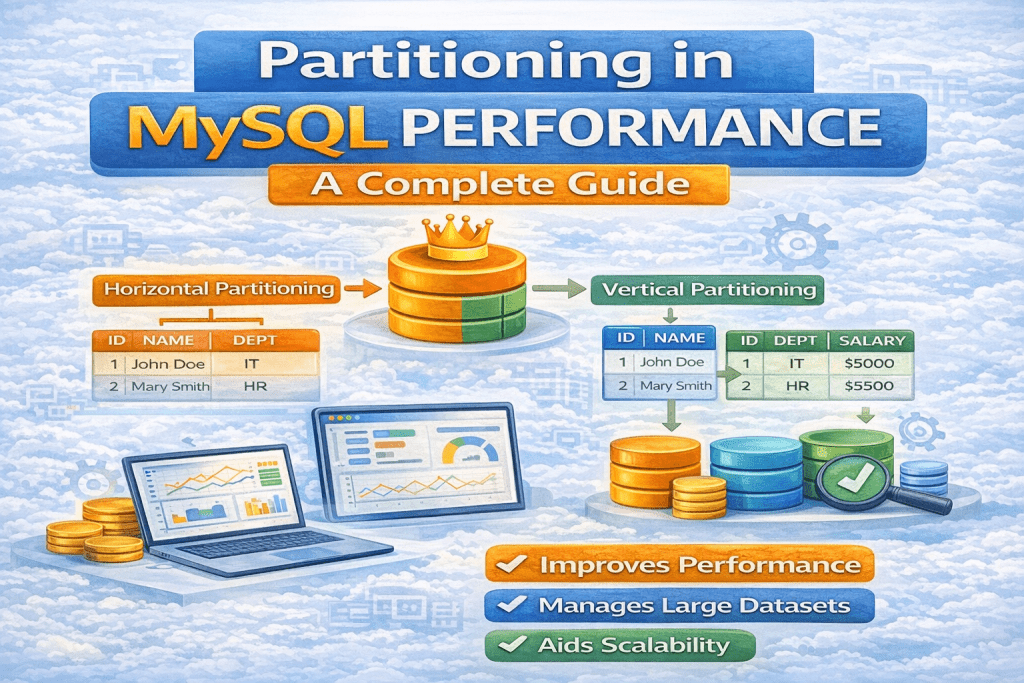
Partitioning in MySQL is a powerful technique used to improve the management, performance, and scalability of large tables. Instead of storing all data in a single monolithic table, partitioning allows you to split the table into smaller, more manageable pieces, called partitions, while still maintaining a single logical table for queries.
1. What is Partitioning?
Partitioning is the process of dividing a database table into multiple independent sections (partitions) based on a certain key or range of values. Each partition is stored separately but behaves as part of a single table.
Think of it like a library: instead of keeping all books on one shelf, you divide them into sections based on genre. Searching or managing books becomes easier, but you still treat the library as one entity.
2. Why Use Partitioning?
Partitioning is used to:
- Improve Query Performance
Queries that only need a subset of data can access a specific partition rather than scanning the entire table, reducing query time. - Simplify Maintenance
You can perform maintenance (like deleting old data) on a partition without affecting the rest of the table. - Enhance Scalability
Large datasets can be distributed across multiple partitions, making them easier to manage. - Optimize Storage
Partitions can be stored on different storage devices for better I/O management.
3. Types of Partitioning in MySQL
MySQL supports several partitioning types:
a) Range Partitioning
- Data is divided into ranges defined by values of a column.
- Example: A table of orders can be partitioned by year.
CREATE TABLE orders (
    id INT,
    order_date DATE,
    amount DECIMAL(10,2)
)
PARTITION BY RANGE (YEAR(order_date)) (
    PARTITION p2019 VALUES LESS THAN (2020),
    PARTITION p2020 VALUES LESS THAN (2021),
    PARTITION p2021 VALUES LESS THAN (2022)
);
Explanation:
- Orders from 2019 go to
p2019, 2020 orders top2020, and so on.
b) List Partitioning
- Data is divided based on a specific list of values.
- Example: Partitioning customers by country.
CREATE TABLE customers (
    id INT,
    name VARCHAR(50),
    country VARCHAR(50)
)
PARTITION BY LIST (country) (
    PARTITION usa VALUES IN ('USA'),
    PARTITION uk VALUES IN ('UK'),
    PARTITION india VALUES IN ('India')
);
Explanation:
- Customers are stored in partitions based on their country.
c) Hash Partitioning
- Data is distributed across partitions using a hash function.
- Useful for evenly distributing rows when ranges or lists are not suitable.
CREATE TABLE employees (
    id INT,
    name VARCHAR(50),
    department_id INT
)
PARTITION BY HASH(department_id) PARTITIONS 4;
Explanation:
- Rows are assigned to one of the 4 partitions based on the hash of
department_id.
d) Key Partitioning
- Similar to hash partitioning but uses MySQL’s internal hashing function.
- Only supports integer and string columns.
CREATE TABLE products (
    id INT,
    name VARCHAR(50)
)
PARTITION BY KEY(id) PARTITIONS 3;
Explanation:
- MySQL automatically assigns rows to partitions using the internal hash of the
id.
4. Rules & Restrictions for Partitioning
- Partitioning is supported only on InnoDB and NDBCluster storage engines.
- Not all columns can be used as a partition key:
- The partitioning column must be part of every UNIQUE key in the table.
- A table can be partitioned only once; you cannot have multiple partitioning schemes.
TEXTandBLOBcolumns cannot be used as partition keys.- Foreign keys are not supported on partitioned tables in MySQL.
5. Advantages of Partitioning
- Reduces query execution time for large tables.
- Makes data archiving and purging easier (drop old partitions instead of deleting rows).
- Helps in parallel processing as each partition can be handled independently.
- Improves I/O performance by limiting scans to relevant partitions.
6. Disadvantages of Partitioning
- Adds complexity to table design and maintenance.
- Not all queries benefit from partitioning; full table scans may still occur.
- Some features like foreign keys and subqueries are restricted.
- Partitioning doesn’t replace indexing; proper indexes are still required for performance.
7. How to Check Partitions
To see the partitions of a table:
SELECT PARTITION_NAME, TABLE_ROWS
FROM INFORMATION_SCHEMA.PARTITIONS
WHERE TABLE_NAME = 'orders';
8. Dropping or Adding Partitions
- Add a new partition:
ALTER TABLE orders ADD PARTITION (
    PARTITION p2022 VALUES LESS THAN (2023)
);
- Drop an old partition:
ALTER TABLE orders DROP PARTITION p2019;
9. When to Use Partitioning
- When your table has millions of rows.
- When queries often access a subset of data.
- When you need faster maintenance and archiving of large datasets.
10. Conclusion
Partitioning is a robust strategy to improve performance and manageability of large MySQL tables. However, it is not a silver bullet: careful design, proper indexing, and understanding of query patterns are essential. When used correctly, partitioning can significantly improve scalability, maintenance efficiency, and query speed.