
Queues in Laravel: Everything You Need to Know
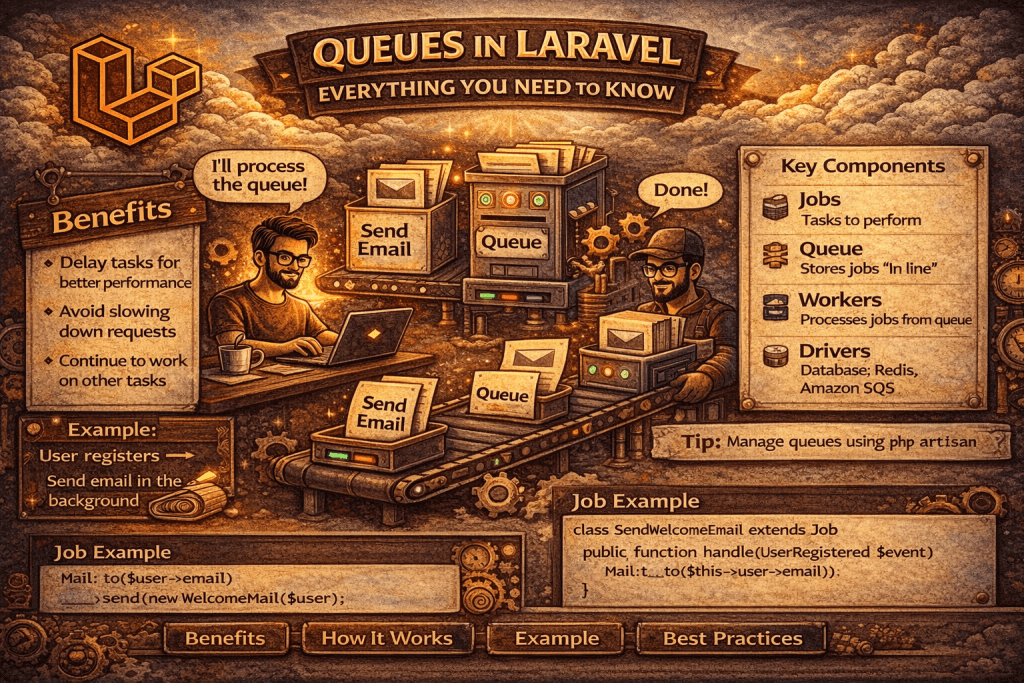
In modern web applications, performance and responsiveness are critical. Users expect fast-loading pages and instant feedback. However, some tasks — like sending emails, processing images, or generating reports — can take a long time to complete. If these tasks are executed during a request-response cycle, they can slow down your application.
This is where queues come in. Laravel queues provide a way to defer time-consuming tasks, allowing your application to respond faster while handling heavy tasks in the background.
What is a Queue?
A queue is a data structure used to store tasks that need to be processed. Think of it like a line at a bank — the first person to join the line is the first to be served. This is called FIFO (First In, First Out).
In Laravel, a queue allows you to:
- Push a task into a queue.
- Process the task asynchronously in the background.
- Avoid delaying the user’s request.
Why Use Queues?
Here are some scenarios where queues are beneficial:
- Email Sending
Sending emails can take several seconds. By using queues, emails are sent in the background, making the user experience smoother. - Notification Processing
Push notifications or SMS alerts can be queued to avoid slowing down the request cycle. - Heavy Computation Tasks
Tasks like image or video processing, report generation, or file uploads can be deferred to a queue worker. - Third-Party API Calls
If you interact with APIs that have high latency, you can offload requests to a queue.
How Laravel Queues Work
Laravel provides a unified API across different queue backends. The workflow generally looks like this:
- Job Creation – A job represents a task to be processed (e.g., send an email).
- Push to Queue – Laravel pushes the job onto a queue driver (database, Redis, SQS, etc.).
- Queue Worker – A worker process listens for jobs and executes them.
- Job Processing – Once completed, the job is removed from the queue.
Supported Queue Drivers
Laravel supports several queue backends:
| Driver | Description |
|---|---|
| database | Stores jobs in a database table |
| Redis | Fast, in-memory queue system |
| SQS | AWS Simple Queue Service |
| Beanstalkd | Dedicated queue server |
| Sync | Executes jobs immediately (no queueing) |
| Null | Discards jobs (useful for testing) |
You can configure the queue driver in the .env file:
QUEUE_CONNECTION=database
Creating a Job
Laravel jobs encapsulate tasks you want to run in the background. You can generate a job using Artisan:
php artisan make:job SendWelcomeEmail
This generates a file in app/Jobs/SendWelcomeEmail.php:
namespace App\Jobs;

use Illuminate\Bus\Queueable;
use Illuminate\Contracts\Queue\ShouldQueue;
use Illuminate\Foundation\Bus\Dispatchable;
use Illuminate\Queue\InteractsWithQueue;
use Illuminate\Queue\SerializesModels;
use App\Mail\WelcomeEmail;
use Mail;

class SendWelcomeEmail implements ShouldQueue
{
    use Dispatchable, InteractsWithQueue, Queueable, SerializesModels;

    protected $user;

    public function __construct($user)
    {
        $this->user = $user;
    }

    public function handle()
    {
        Mail::to($this->user->email)->send(new WelcomeEmail($this->user));
    }
}
Dispatching a Job
You can dispatch a job to a queue using the dispatch() helper:
use App\Jobs\SendWelcomeEmail;

$user = User::find(1);
SendWelcomeEmail::dispatch($user);
This pushes the job onto the queue. Laravel will process it in the background.
Running Queue Workers
To process queued jobs, you need to start a queue worker:
php artisan queue:work
For long-running production workers, you may want to use supervisor to keep workers alive.
You can also process a single job and exit:
php artisan queue:listen
Delayed Jobs
Laravel allows you to delay job execution:
SendWelcomeEmail::dispatch($user)->delay(now()->addMinutes(10));
This will execute the job 10 minutes later.
Failed Jobs
Sometimes jobs fail due to errors. Laravel can keep track of failed jobs. To set this up, you need a table:
php artisan queue:failed-table
php artisan migrate
You can view failed jobs:
php artisan queue:failed
Retry failed jobs:
php artisan queue:retry all
Queues with Different Priorities
Laravel allows you to define multiple queues with different priorities. Example:
SendWelcomeEmail::dispatch($user)->onQueue('emails');
Workers can be configured to process certain queues first:
php artisan queue:work --queue=high,default,low
Tips for Using Laravel Queues
- Use Jobs for Single Responsibility – Each job should handle a single task.
- Keep Jobs Idempotent – Jobs should be safe to retry without side effects.
- Monitor Queues – Use Laravel Horizon for monitoring Redis queues.
- Handle Failures Gracefully – Always handle exceptions in
handle()method.
Conclusion
Laravel queues are a powerful way to handle long-running tasks asynchronously. By offloading tasks to queues, you can:
- Improve user experience
- Handle heavy tasks efficiently
- Scale your application easily
Whether it’s sending emails, processing reports, or interacting with APIs, queues ensure your application stays fast and responsive.
What is a Queue in Laravel?
Queue is a way to defer time-consuming tasks (like sending emails, processing files, notifications, etc.) to be executed later in the background.
Why do we use Queues in Laravel?
To improve application performance and response time by moving heavy tasks outside the main request-response cycle.
What are the drivers supported by Laravel Queues?
sync (default, runs immediately)databasebeanstalkdredissqs (Amazon Simple Queue Service)null (discards jobs)
What is the difference between sync and database queue drivers?
sync: Executes job immediately, no queueing.
database: Stores jobs in DB table (jobs), executed later by worker.
What is the difference between dispatch() and dispatchNow()?
dispatch() → Pushes job to the queue for async processing.dispatchNow() → Runs job immediately (ignores queues).
How can you specify a queue name for a job?
SendEmailJob::dispatch()->onQueue(’emails’);
What is the difference between queue:work and queue:listen?
queue:work: Runs continuously, faster, recommended for production.queue:listen: Reboots framework on each job, slower.
How to retry failed jobs in Laravel?
php artisan queue:retry {job_id}
Where are failed jobs stored?
→ In failed_jobs table (after running php artisan queue:failed-table and migration).
How to set Job Delay in Laravel?
SendEmailJob::dispatch()->delay(now()->addMinutes(10));
What is Job Chaining in Laravel?
→ Running multiple jobs in sequence.
Bus::chain([ new JobOne, new JobTwo, ])->dispatch();
What is Job Batching in Laravel?
→ Running jobs in bulk and handling their completion/failure together.
Bus::batch([ new ImportJob, new NotifyJob, ])->then(function () { // success })->dispatch();
What is Queue Prioritization in Laravel?
→ Jobs can be assigned different queue names, workers can listen to high-priority queues first.
php artisan queue:work --queue=high,default
How do you handle unique jobs in Laravel?
Use ShouldBeUnique interface in the job class to prevent duplicate execution.
What is the difference between queue:restart and queue:work?
queue:restart: Gracefully restarts all workers after finishing current jobs.queue:work: Starts workers to process jobs.
What happens if a job fails?
→ Laravel tries the number of times defined in $tries property or queue worker --tries. If it still fails, it is logged in failed_jobs table.
How to prevent retrying a failed job?
→ Set $tries = 1 or handle failure inside failed() method.
What is the failed() method in Jobs?
→ A method in job class that executes when a job permanently fails. Example:
public function failed(\Throwable $e) { Log::error("Job failed", [$e->getMessage()]); }
How do you limit the maximum attempts for a job?
→ Use $tries property inside the job.
public $tries = 3;
How do you release a job back to queue after failure?
→ Use $this->release(10); inside job handle() to retry after 10 seconds.
How do you throttle queue jobs?
→ Using middleware RateLimited, ThrottlesExceptions, or Redis locks.
How do you process multiple queues at once?
php artisan queue:work –queue=high,medium,default
How to specify the number of attempts for queue workers globally?
php artisan queue:work –tries=5
How do you run multiple workers in production?
Using Supervisor on Linux (recommended for auto-restart, scaling).
What is the difference between queue:work --daemon and queue:listen?
–daemon (default in queue:work): Runs continuously, keeps Laravel loaded in memory (faster).
queue:listen: Reloads app for each job (slower, but safer in older versions).
How do you run a job synchronously even if queue driver is async?
dispatch_sync(new MyJob);
What is Queue Event Handling in Laravel?
JobProcessingJobProcessedJobFailed
→ You can listen to them in EventServiceProvider.
How do you handle long-running jobs in Laravel?
→ Use $timeout property in the job to kill if execution exceeds limit.
public $timeout = 120;
How do you retry all failed jobs at once?
php artisan queue:retry all
How do you clear all failed jobs?
php artisan queue:flush
What is the difference between Bus::dispatch() and Queue::push()?
Bus::dispatch() → Dispatches a job using the Laravel Bus system.Queue::push() → Pushes raw job payload directly into a queue.