
What is Laravel broadcasting?
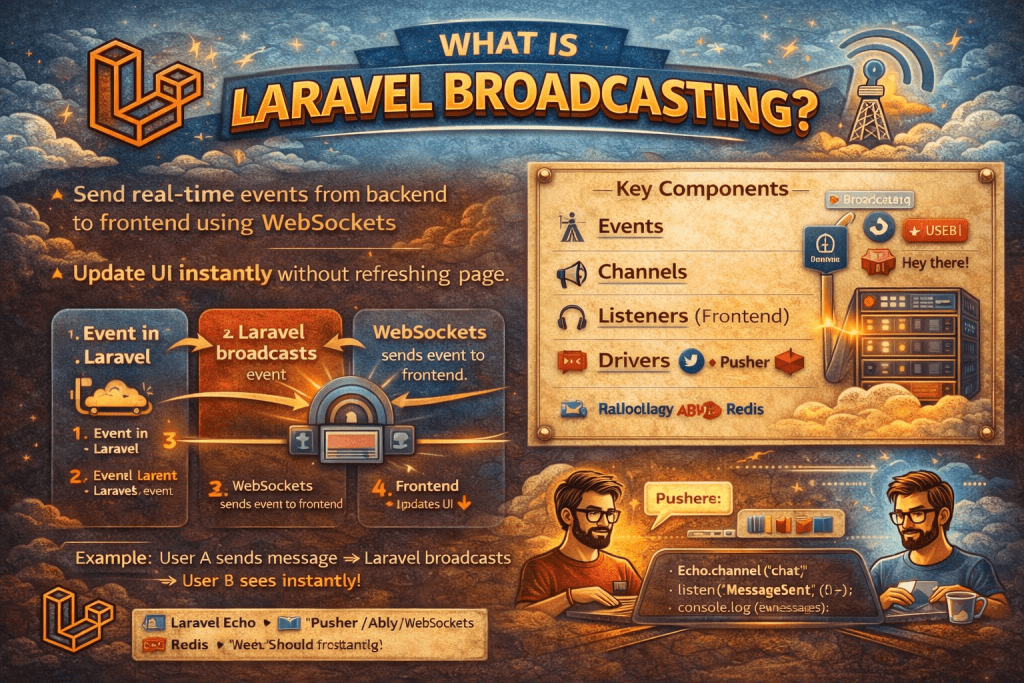
Laravel broadcasting is a feature that allows your Laravel application to share real-time events with clients, typically through WebSockets. It lets your server “broadcast” events to the frontend, so users can receive updates instantly without needing to refresh the page. This is commonly used in chat apps, notifications, live dashboards, or real-time feeds.
Here’s a detailed breakdown:
1. How Broadcasting Works in Laravel
- You define an event in Laravel.
- You mark it as broadcastable.
- Laravel sends this event to a broadcast driver (like Pusher, Redis, or a custom WebSocket server).
- The frontend (JavaScript) listens for this event and updates the UI in real-time.
2. Setting Up Broadcasting
Step 1: Configure the broadcasting.php
- Laravel supports multiple drivers:
pusher,redis,log,null. - Example config for Pusher:
// .env
BROADCAST_DRIVER=pusher
PUSHER_APP_ID=your-app-id
PUSHER_APP_KEY=your-key
PUSHER_APP_SECRET=your-secret
PUSHER_APP_CLUSTER=your-cluster
Step 2: Create a Broadcastable Event
php artisan make:event NewMessage
In the event file:
use Illuminate\Broadcasting\InteractsWithSockets;
use Illuminate\Broadcasting\PresenceChannel;
use Illuminate\Broadcasting\PrivateChannel;
use Illuminate\Contracts\Broadcasting\ShouldBroadcast;

class NewMessage implements ShouldBroadcast
{
    use InteractsWithSockets;

    public $message;

    public function __construct($message)
    {
        $this->message = $message;
    }

    public function broadcastOn()
    {
        return new PrivateChannel('chat');
    }
}
ShouldBroadcast: tells Laravel to broadcast this event.- Channels: define which frontend channels can receive the event. Can be public, private, or presence channels.
Step 3: Listen on Frontend (JavaScript)
import Echo from "laravel-echo";
window.Pusher = require('pusher-js');

window.Echo = new Echo({
    broadcaster: 'pusher',
    key: process.env.MIX_PUSHER_APP_KEY,
    cluster: process.env.MIX_PUSHER_APP_CLUSTER,
    encrypted: true
});

window.Echo.private('chat')
    .listen('NewMessage', (e) => {
        console.log('New message:', e.message);
    });
3. Types of Channels
- Public Channels – anyone can listen without authentication.
- Private Channels – require authentication.
- Presence Channels – private channels but also track who is online.
4. Benefits of Broadcasting
- Real-time updates without page refresh.
- Seamless integration with Laravel events.
- Works with Pusher, Redis, or custom WebSocket servers.
- Great for chat, notifications, live dashboards.
In short: Laravel broadcasting connects your server-side events with frontend clients in real-time. It’s like your server “shouting” messages that all subscribed users can instantly hear.
Why do we use broadcasting in Laravel?
For real-time communication between server and client.
To push notifications without refreshing the page.
To build chat apps, live dashboards, stock tickers, gaming apps etc.
What are broadcast drivers available in Laravel?
Pusher
Ably
Laravel WebSockets (beyondcode/laravel-websockets)
Redis
Null (default, disables broadcasting)
What is the difference between events and broadcast events in Laravel?
Normal events are handled on the server side only.
Broadcast events are sent to both the server and client (via WebSockets).
What is the difference between Channel, PrivateChannel, and PresenceChannel?
Channel: Public channel, anyone can listen.
PrivateChannel: Requires authentication before listening.
PresenceChannel: Like private, but also shows who is subscribed (tracks online users).
What is Laravel Echo?
Laravel Echo is a JavaScript library that makes it easy to listen for broadcast events on the client-side (using Pusher, Ably, or Laravel WebSockets).
What is the difference between Pusher and Laravel WebSockets?
Pusher: Third-party hosted service, easy but paid.
Laravel WebSockets: Self-hosted package, free, works with Echo, scalable.
What command enables broadcasting in Laravel?
Uncomment App\Providers\BroadcastServiceProvider::class in config/app.php.
How do you secure broadcasting channels in Laravel?
Use Private/Presence channels.
Define authorization in routes/channels.php.
Ensure CSRF & authentication middleware are enabled.
Can broadcasting work without Pusher or Ably?
Yes, by using Laravel WebSockets or even Redis with Socket.io.
How do you queue broadcast events?
Add implements ShouldBroadcastNow for immediate broadcasting, or ShouldBroadcast for queued events. Laravel will send them via the default queue driver.