
What is Laravel Horizon?
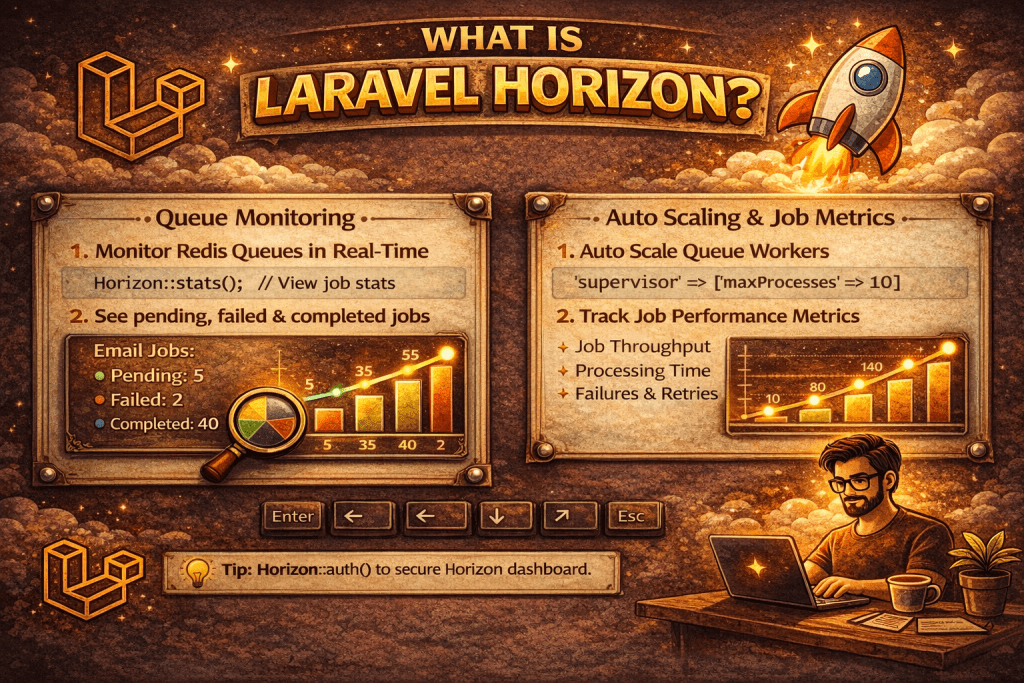
Laravel Horizon is a dashboard and queue monitoring tool specifically designed for Laravel applications that use Redis queues. It provides a clean, real-time interface to monitor, configure, and manage your queued jobs. Essentially, it makes working with Laravel queues much more transparent and manageable. Here’s a detailed breakdown:
1. Purpose of Laravel Horizon
Horizon is built to help developers:
- Monitor queue jobs: See which jobs are pending, processing, failed, or completed.
- Track metrics: Job throughput, runtime, failures, and retries.
- Manage queues: Configure workers, set priorities, and control how jobs are processed.
- Receive alerts: Notifications for failed jobs or performance issues.
2. Features
- Dashboard: Provides a web UI showing all your queues, job stats, and failures.
- Job Monitoring: Tracks each job’s status, duration, and retries.
- Queue Configuration: Lets you define multiple queues with different priorities and worker counts.
- Failed Job Management: Easily retry failed jobs from the dashboard.
- Metrics & Statistics: Provides graphs and historical data for job throughput and runtime.
- Notifications: Can send Slack or other alerts on job failures.
3. How It Works
Horizon runs as a separate process that listens to your Redis queues and provides statistics to the dashboard. It uses Redis as the backend to track jobs and metrics efficiently.
4. Installation
You can install Horizon using Composer:
composer require laravel/horizon
Then publish its assets and configuration:
php artisan horizon:install
php artisan migrate
Start Horizon to process jobs and monitor them:
php artisan horizon
The dashboard is usually accessible at:
http://your-app.test/horizon
5. Use Cases
- Large applications with many background jobs like email sending, notifications, image processing.
- Applications where queue monitoring and metrics are critical.
- Teams needing a visual interface for queue management.
In short, Laravel Horizon makes queue management transparent, measurable, and controllable, making it ideal for production-ready Laravel apps using Redis.
What is Laravel Horizon?
Horizon is a queue manager and monitoring tool for Laravel, built specifically for Redis queues. It provides a real-time dashboard to monitor jobs, failures, throughput, runtime, and allows queue balancing.
How is Horizon different from Laravel’s default queue worker?
👉 queue:work only processes jobs, while Horizon provides:
Dashboard (UI monitoring)
Auto balancing of workers
Detailed job metrics & failure tracking
Easy scaling with supervisors
Which queues are supported by Horizon?
Only Redis queues are supported.
How do you install Laravel Horizon?
Run:
composer require laravel/horizon php artisan horizon:install php artisan migrate
What is the role of horizon:install and horizon:publish?
horizon:install → Publishes Horizon’s migrations.horizon:publish → Publishes Horizon’s assets/config files.
Where is Horizon’s configuration stored?
In config/horizon.php.
How do you define supervisors in Horizon?
👉 In config/horizon.php under supervisors key. Example:
'supervisors' => [ 'default' => [ 'connection' => 'redis', 'queue' => ['default'], 'balance' => 'auto', 'processes' => 3, 'tries' => 3, ], ],
What are balancing strategies in Horizon?
simple → Distributes jobs evenly across workers.auto → Dynamically balances workers based on queue load.false → No balancing, fixed queue assignment.
What is the use of horizon:supervisor command?
Starts a specific supervisor defined in config/horizon.php.
How do you scale Horizon workers?
👉 Increase the processes value in supervisor config OR use Linux Supervisor/systemd to run multiple Horizon processes.
How do you access the Horizon dashboard?
Usually at /horizon.
Can Horizon dashboard be restricted to certain users?
Yes, inside App\Providers\HorizonServiceProvider → use Horizon::auth(function ($user) { return $user->isAdmin(); });
What metrics can Horizon monitor?
Jobs processed, failed jobs, runtime, throughput, supervisors, queues, wait time.
How does Horizon handle failed jobs?
Failed jobs are stored in failed_jobs table (via DB) and also shown in Horizon dashboard with details.
How do you retry failed jobs from Horizon dashboard?
Horizon provides a retry button in the dashboard to re-queue failed jobs.
Difference between queue:work and horizon?
queue:work → Basic job processing.horizon → Advanced monitoring, auto balancing, retry & dashboard.
What is the purpose of horizon:terminate?
Gracefully stops Horizon so you can restart with new code changes without losing jobs.
How do you deploy Horizon in a load-balanced environment?
Run Horizon on all servers using Redis as the shared queue backend. Each Horizon instance will sync with others.
How does Horizon handle job prioritization among queues?
👉 Order of queue array in supervisor config decides priority. Example:
'queue' => ['high', 'medium', 'low']
What is the difference between Supervisor in Horizon and Linux Supervisor?
Horizon Supervisor → Defined in config/horizon.php to manage workers.
Linux Supervisor → A system process manager that keeps php artisan horizon running.
How does Horizon automatically balance workers across queues?
👉 With balance => 'auto', Horizon dynamically assigns workers to queues based on job load.
What is the purpose of Horizon::routeMailNotificationsTo()?
Sends Horizon alerts (like failing jobs) to email/Slack channels.