
Optimistic vs Pessimistic Locking in MySQL
📌 Introduction
When multiple users try to update the same data in a database, it can lead to data inconsistency and conflicts. This is where locking mechanisms in MySQL come into play.
Two of the most important techniques are:
- Optimistic Locking
- Pessimistic Locking
In this guide, you’ll learn how they work, when to use them, and real-world examples using MySQL + PHP.
🔒 What is Locking in MySQL?
Locking is a mechanism used to control concurrent access to data.
👉 Goal:
- Prevent data conflicts
- Maintain consistency
- Handle multiple users safely
🚀 1. Optimistic Locking in MySQL
📌 Definition
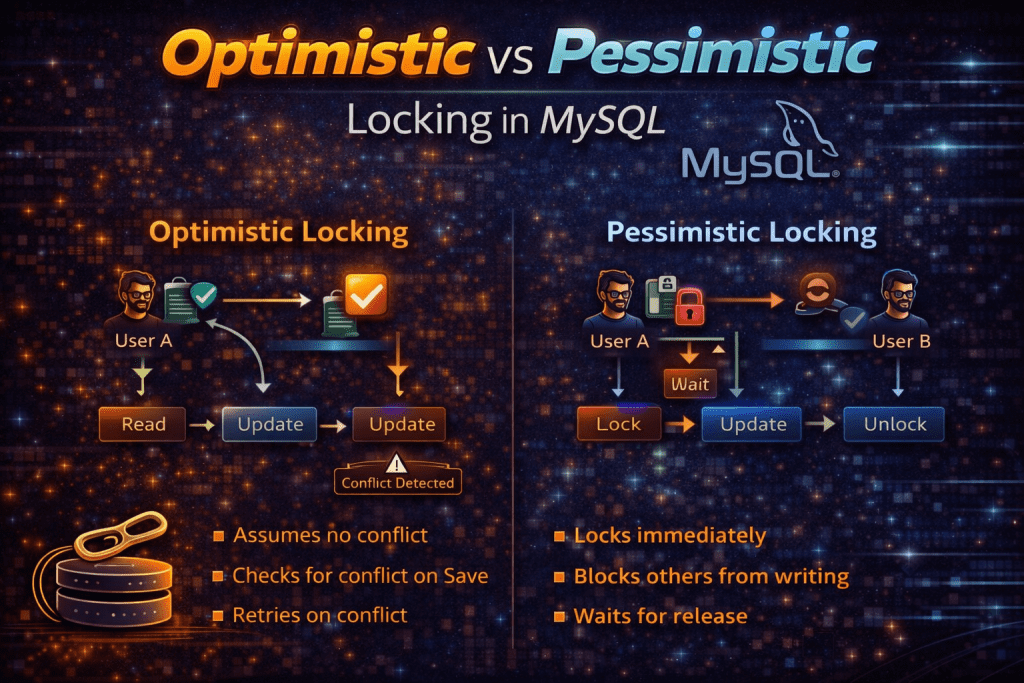
Optimistic locking assumes:
👉 Conflicts are rare
Instead of locking the row, it checks before updating whether the data has changed.
⚙️ How It Works
- Read data with a version/timestamp
- Update data with a condition
- If version matches → update success
- If not → conflict detected
🧾 Example Table
CREATE TABLE products (
    id INT PRIMARY KEY,
    name VARCHAR(100),
    price DECIMAL(10,2),
    version INT
);💻 MySQL Query Example
UPDATE products
SET price = 200, version = version + 1
WHERE id = 1 AND version = 2;👉 If version changed → update fails
🧑💻 PHP Example
$id = 1;
$newPrice = 200;
$version = 2;$sql = "UPDATE products
        SET price = ?, version = version + 1
        WHERE id = ? AND version = ?";$stmt = $conn->prepare($sql);
$stmt->bind_param("dii", $newPrice, $id, $version);
$stmt->execute();if ($stmt->affected_rows > 0) {
    echo "Update successful";
} else {
    echo "Conflict detected! Data was modified by another user.";
}✅ Advantages
- No locks → better performance
- High scalability
- Ideal for read-heavy systems
❌ Disadvantages
- Conflict handling required
- Retry logic needed
📍 Real-World Use Case
- E-commerce product updates
- Profile editing systems
- Booking systems (low conflict)
🔐 2. Pessimistic Locking in MySQL
📌 Definition
Pessimistic locking assumes:
👉 Conflicts are likely
So it locks the data before updating.
⚙️ How It Works
- Lock row using
SELECT ... FOR UPDATE - Other transactions must wait
💻 MySQL Example
START TRANSACTION;SELECT * FROM products WHERE id = 1 FOR UPDATE;UPDATE products SET price = 200 WHERE id = 1;COMMIT;
🧑💻 PHP Example
$conn->begin_transaction();
$result = $conn->query("SELECT * FROM products WHERE id = 1 FOR UPDATE");
$conn->query("UPDATE products SET price = 200 WHERE id = 1");
$conn->commit();✅ Advantages
- Strong data consistency
- No conflicts
- Safe for critical operations
❌ Disadvantages
- Slower performance
- Can cause deadlocks
- Reduces concurrency
📍 Real-World Use Case
- Banking systems 💰
- Inventory deduction
- Ticket booking (high traffic)
⚖️ Optimistic vs Pessimistic Locking (Comparison Table)
| Feature | Optimistic Locking | Pessimistic Locking |
|---|---|---|
| Approach | No lock | Lock before update |
| Performance | Fast | Slower |
| Conflict Handling | Detect & retry | Prevent |
| Use Case | Low conflict | High conflict |
| Scalability | High | Low |
🧠 When to Use What?
👉 Use Optimistic Locking When:
- Read-heavy applications
- Low chances of conflict
- High scalability needed
👉 Use Pessimistic Locking When:
- High contention systems
- Critical transactions
- Financial or inventory systems
⚠️ Common Mistakes
❌ Not handling retries in optimistic locking
❌ Forgetting transactions in pessimistic locking
❌ Ignoring deadlocks
🎯 Pro Tips (Important for Interviews)
- Optimistic locking = version-based control
- Pessimistic locking = row-level locking
SELECT FOR UPDATEis key in pessimistic locking- Always use transactions
🏁 Conclusion
Both locking strategies are important in MySQL.
👉 Use Optimistic Locking for performance
👉 Use Pessimistic Locking for safety
Choosing the right one depends on your application needs and traffic patterns.