
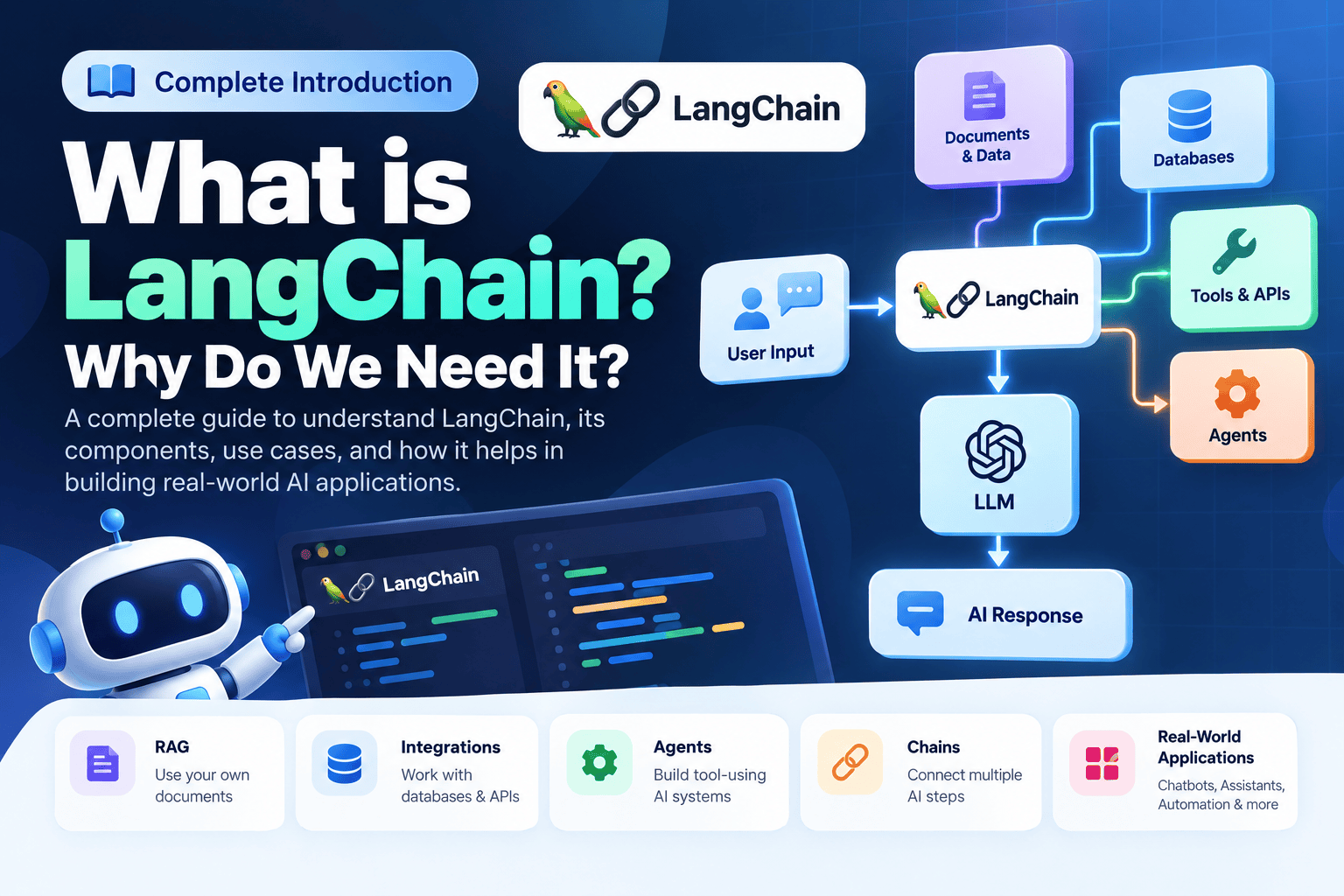
What is LangChain? Why Do We Need It? Complete Introduction
LangChain is a framework for building applications powered by Large Language Models (LLMs). It helps developers connect AI models with prompts, external data, tools, retrievers, databases, and application workflows.
Introduction
Artificial Intelligence is changing the way modern software applications are built. Large Language Models (LLMs) can understand natural language, generate text, summarize information, write code, answer questions, and perform many other language-related tasks.
Because of this, developers are using models from providers such as OpenAI, Google, Anthropic, and other AI platforms to build chatbots, AI assistants, document analysis systems, customer support applications, coding assistants, and automation tools.
However, building a real-world AI application is usually more complicated than simply sending a prompt to an LLM and displaying the response.
How do we connect an LLM with our own data, documents, databases, APIs, tools, and application logic?
This is where LangChain becomes useful.
In this article, we will understand what LangChain is, why we need it, how it works, its major components, prompts, chains, tools, agents, embeddings, vector stores, RAG, databases, advantages, limitations, and real-world use cases.
- What is LangChain?
- Why Do We Need LangChain?
- LLM vs LangChain
- Can We Build AI Applications Without LangChain?
- How Does LangChain Work?
- Core Components of LangChain
- Prompt Templates
- Chains and LCEL
- What Are Tools?
- What Are Agents?
- Documents and External Data
- Text Splitters
- What Are Embeddings?
- What Are Vector Stores?
- What is RAG?
- LangChain and Databases
- Real-World LangChain Example
- LangChain vs Direct LLM API
- Advantages of LangChain
- Limitations of LangChain
- When Should You Use LangChain?
- LangChain Learning Roadmap
- Frequently Asked Questions
- Conclusion
What is LangChain?
LangChain is a framework for developing applications powered by Large Language Models.
In simple words, LangChain provides building blocks that help developers connect an LLM with different parts of an application.
These parts can include prompts, external data, databases, APIs, tools, document retrievers, vector stores, and application workflows.
A very simple LLM application may look like this:
User
  ↓
LLM
  ↓
AI Response
This approach is perfectly fine for a simple application. But real-world AI applications often require additional processing.
Why Do We Need LangChain?
If we can directly call an LLM API, why would we need a framework such as LangChain?
This is one of the most important questions to understand.
Imagine that you are building an AI assistant for a company. A user asks:
What is our company's leave policy?The company’s leave policy may not be available in the model’s general knowledge. It may instead exist inside company PDFs, internal documentation, databases, or another private knowledge source.
The application may need to:
- Receive the user’s question.
- Search the company’s information.
- Retrieve relevant content.
- Add the retrieved content to the model context.
- Send the request to the LLM.
- Generate the final answer.
You can build all of this yourself. But as the application becomes more complex, you may need to manage many different components and workflows.
LangChain provides components and abstractions that help developers connect models, prompts, tools, retrievers, external data, and application logic into AI workflows.
LLM vs LangChain
One of the first concepts beginners should understand is the difference between an LLM and LangChain.
LangChain is a framework. The actual language model can come from an AI provider such as OpenAI, Google, Anthropic, or another supported provider.
| LLM | LangChain |
|---|---|
| AI model | Application development framework |
| Generates and processes language | Helps organize AI application workflows |
| Receives prompts and produces output | Connects models with tools and external data |
| Provides language generation and reasoning | Helps compose multiple application components |
Can We Build AI Applications Without LangChain?
Yes.
LangChain is not mandatory for building AI applications. You can directly call an LLM provider’s API from your backend or application.
User Input
    ↓
Your Backend
    ↓
LLM API
    ↓
Response
    ↓
User
For a simple application, this approach can be enough.
As the application grows, however, you may need to manage:
- Multiple prompts
- Multiple model calls
- Document processing
- Retrieval
- Embeddings
- Vector databases
- External tools
- Agents
- Conversation state
- External APIs
How Does LangChain Work?
At a high level, LangChain helps connect different components of an AI application.
For a document-based application, the workflow may look more like this:
Core Components of LangChain
To understand LangChain properly, you should understand the major building blocks and the role each one can play inside an AI application.
1. Models
Models are the AI systems that process input and generate output. In a LangChain application, models form one of the central components of the workflow.
Depending on the application, you may work with different types of models, including language models and models used for generating embeddings.
The model is responsible for the actual AI generation or processing, while the surrounding application determines what information should be provided to it and what should happen with the result.
2. Prompt Templates
A prompt is the instruction or input provided to an AI model. In real applications, prompts are often dynamic.
Instead of manually creating every prompt, you can create reusable prompt templates.
You are a programming teacher.

Explain the following topic in simple language:

{topic}

Include:
- Definition
- Example
- Advantages
- Real-world use case
Here, {topic} is a variable that can be
replaced at runtime.
For example, the same template could be used for Python, JavaScript, PHP, or any other programming topic.
3. Chains and LCEL
Real-world AI applications often require multiple operations instead of a single model call.
For example, an application may need to:
- Create a prompt.
- Send it to an LLM.
- Process the response.
- Transform the result.
- Return structured output.
These operations can be composed into workflows. LangChain Expression Language, commonly referred to as LCEL, provides a way to compose components into runnable pipelines.
4. What Are Tools in LangChain?
An LLM can generate text and reason about information, but it does not automatically have access to every external system.
Suppose a user asks:
What is the current weather in Delhi?The application needs access to a weather service to retrieve current information.
A weather API can be exposed to the AI application as a tool.
Weather API
Retrieve current weather information.
Calculator
Perform mathematical calculations.
Database
Retrieve business information.
Email API
Send emails through an external service.
5. What Are Agents?
Once an AI application has access to multiple tools, another question appears:
An agent-based workflow can allow the model to determine which available tool or action may be useful for the current request.
A simplified agent workflow can look like this:
User Request
      ↓
    Agent
      ↓
Select Tool
      ↓
Tool Execution
      ↓
Tool Result
      ↓
    LLM
      ↓
Final Answer
6. Documents and External Data
Many AI applications need to work with information that exists outside the model itself.
Common sources include:
PDF Files
Company policies, reports, manuals, and documents.
Documentation
Technical and product documentation.
Text Files
Plain-text knowledge and other information sources.
Company Data
Internal business information and knowledge bases.
7. What Are Text Splitters?
Imagine a company has a 200-page document containing policies and internal information.
Sending the entire document to an LLM every time a user asks a question would generally be inefficient.
The document can instead be divided into smaller sections called chunks.
Large Document
      ↓
   Chunk 1
   Chunk 2
   Chunk 3
   Chunk 4
   Chunk 5
      ↓
   Retrieval
Chunking is an important part of document retrieval and RAG systems.
8. What Are Embeddings?
An embedding converts information such as text into a numerical vector representation.
This allows applications to compare the semantic similarity between different pieces of information.
"What is our refund policy?"

          ↓

    Embedding Model

          ↓

[0.12, -0.45, 0.87, 0.21, ...]
Embeddings are commonly used for semantic search, document retrieval, recommendations, and RAG systems.
9. What Are Vector Stores?
After converting documents into embeddings, the vectors need to be stored somewhere so that they can later be searched for relevant information.
Vector stores and vector databases are designed for this type of workload.
What is RAG?
RAG is an architecture where relevant information is retrieved from an external source and provided to an LLM as context before the final response is generated.
A basic RAG workflow looks like this:
For example, suppose a company has thousands of internal documents.
A user asks:
What is the company's work-from-home policy?The application can search the company’s knowledge base, retrieve the relevant sections, and provide those sections to the LLM as context.
The model can then generate an answer based on the retrieved information.
10. LangChain and Databases
AI applications often need to work with structured business information stored in databases.
For example, a user might ask:
Show me the sales for January 2026.The application may need to retrieve the required information from a business database.
AI-generated database queries should not be executed blindly in production. Read-only permissions, query validation, access control, and appropriate security controls are important.
Real-World LangChain Example
Imagine that we are building a Company AI Assistant.
The assistant needs to:
- Search company documents.
- Retrieve employee information.
- Access sales data.
- Perform calculations.
- Send emails.
Now imagine the user asks:
Calculate our sales for last month
and send me the report.
The application could use different tools to complete the request.
                  User
                    ↓
                  Agent
                    ↓
          ┌─────────┼─────────┐
          ↓         ↓         ↓
      Database  Calculator   Email
          ↓         ↓         ↓
          └─────────┼─────────┘
                    ↓
              Final Response
This is the type of multi-step application where frameworks such as LangChain can become useful.
LangChain vs Direct LLM API
| Requirement | Direct LLM API | LangChain |
|---|---|---|
| Simple AI response | Excellent | May be unnecessary |
| Prompt templates | Usually manual | Reusable components |
| Multiple steps | Custom orchestration | Composable workflows |
| RAG | More custom implementation | Useful building blocks |
| Tools | Custom implementation | Tool abstractions |
| Agents | More custom work | Agent-oriented components |
| Complex workflows | More application code | Can simplify composition |
Advantages of LangChain
Reusable Components
Common AI application functionality can be organized into reusable components.
Integrations
Applications can connect models, tools, data sources, and retrieval systems.
RAG Applications
Useful building blocks are available for document-based AI applications.
Agent Workflows
Models and tools can be combined to create agent-based applications.
Limitations of LangChain
1. Extra Abstraction
For a very simple application, LangChain may introduce abstractions that are not necessary.
2. Learning Curve
Beginners need to understand models, prompts, LCEL, retrievers, tools, agents, and other concepts.
3. Debugging Complexity
Complex workflows can be harder to debug than a simple direct API integration.
4. A Framework Is Not Magic
LangChain does not automatically make an AI application accurate. Model selection, prompts, data quality, retrieval quality, and system architecture still matter.
When Should You Use LangChain?
LangChain can be useful when your AI application is more complex than a simple prompt-and-response system.
- You are building a RAG application.
- You need to answer questions using documents.
- You need to connect external APIs to an AI application.
- You need to integrate an AI workflow with a database.
- You need multiple AI processing steps.
- You want to build tool-using agents.
- You need to organize complex LLM workflows.
On the other hand, if your application is simply:
User Input → LLM → Responsea direct API integration may be simpler and completely sufficient.
Is LangChain Only for Python?
No. LangChain can be used with both Python and JavaScript/TypeScript applications.
The programming language is less important than understanding the underlying AI application concepts.
LLMs
Understand how language models are used in applications.
Prompting
Learn how to provide clear and structured instructions.
RAG
Learn how external information can be retrieved.
Agents
Learn how models can interact with external tools.
LangChain Learning Roadmap
If you want to learn LangChain from beginner to advanced level, following a structured order makes the learning process easier.
- LangChain Fundamentals
- Installation and Setup
- Models
- Prompt Templates
- Output Parsers
- LCEL
- Chains
- Tools
- Tool Calling
- Agents
- Document Loaders
- Text Splitters
- Embeddings
- Vector Stores
- Retrievers
- RAG
- Advanced RAG
- Conversation State
- LangGraph
- MCP
- Production AI Applications
Frequently Asked Questions
What is LangChain in simple words?
LangChain is a framework that helps developers connect LLMs with prompts, external data, tools, retrieval systems, databases, and application logic.
Is LangChain an AI model?
No. LangChain is a framework for building applications powered by AI models.
Can I use an LLM without LangChain?
Yes. You can directly use an LLM provider’s API without LangChain.
Is LangChain necessary for every AI application?
No. Simple AI applications can often be built directly with an LLM provider’s API.
What is RAG?
RAG stands for Retrieval-Augmented Generation. It retrieves relevant external information and provides it to an LLM as context before generating a response.
What are LangChain agents?
Agents are workflows where a model can determine which available tools or actions may help solve a user’s request.
Can LangChain work with databases?
Yes. LangChain-based applications can integrate with databases and database-related tools when implemented securely.
Is LangChain good for beginners?
Yes. Beginners should first understand models, prompts, and basic workflows before moving into RAG, tools, agents, and advanced concepts.
What should I learn after LangChain basics?
After understanding the fundamentals, you can move into RAG, tool calling, agents, LangGraph, MCP, evaluation, and production AI application design.
Conclusion
LangChain can be understood as a framework for building applications powered by Large Language Models.
An LLM provides powerful language generation and reasoning capabilities, but real-world AI applications often require much more than the model itself.
Applications may need to retrieve information from documents, access databases, call external APIs, use tools, manage application state, and combine multiple AI operations into a single workflow.
= Powerful AI Application
LangChain provides useful building blocks for connecting these different components and creating more capable AI applications.
In this article, we covered the fundamentals of LangChain, including what it is, why we need it, how it works, its core components, prompt templates, LCEL, tools, agents, documents, text splitting, embeddings, vector stores, RAG, databases, advantages, limitations, and practical use cases.
Now that the fundamentals are clear, the next step is to start building practical LangChain applications and understand how these concepts work with real code.
LangChain Installation & First AI Application
Learn how to install LangChain, connect your first LLM, and build a simple AI application step by step.