
Introduction
Laravel is one of the most popular PHP frameworks, and it offers a range of tools that make developing web applications faster and more efficient. One of these tools is Artisan, Laravel’s built-in command-line interface (CLI). Artisan automates many common tasks in the development process, making it an essential tool for Laravel developers.
In this post, we’ll explore what Artisan is, how it can help streamline your workflow, and some of the most useful commands to improve your productivity as a Laravel developer.
What is Artisan in Laravel?
In simple terms, Artisan is a command-line tool that helps developers automate common tasks in Laravel. It was introduced in Laravel to simplify the development process, especially for tasks that are repetitive or time-consuming. With Artisan, you can generate code, run database migrations, interact with the framework’s internal systems, and much more—all from the command line.
The Artisan CLI tool comes pre-installed with every Laravel project. All you need to do is run the php artisan command from your project’s root directory, and you’ll have access to dozens of powerful commands.
Key Features of Laravel Artisan
- Code Generation
Artisan allows you to automatically generate boilerplate code, such as controllers, models, migrations, and more. This helps save time when building new parts of your application.- Generate a controller:
php artisan make:controller PostController - Generate a model:
php artisan make:model Post - Generate a migration:
php artisan make:migration create_posts_table
- Generate a controller:
- Database Migrations and Seeding
Artisan simplifies database migrations. You can create new migrations, run them, or rollback migrations using easy-to-remember commands.- Run migrations:
php artisan migrate - Rollback the last batch of migrations:
php artisan migrate:rollback - Seed the database:
php artisan db:seed
- Run migrations:
- Cache and Configuration Management
Laravel applications rely on caching and configuration for performance optimization. Artisan allows you to manage the cache and configuration in one place.- Clear the application cache:
php artisan cache:clear - Clear config cache:
php artisan config:clear
- Clear the application cache:
- Task Scheduling
One of the most powerful features of Artisan is its ability to schedule recurring tasks, such as sending emails or cleaning up logs. Laravel’s task scheduling is built on top of Artisan, allowing developers to set up cron jobs easily.- Schedule a task:
php artisan schedule:run
- Schedule a task:
- Running Queues and Jobs
Artisan provides commands to manage queued jobs in Laravel. You can use Artisan to process jobs, retry failed jobs, and even manage job priorities.- Run queued jobs:
php artisan queue:work - Retry a failed job:
php artisan queue:retry all
- Run queued jobs:
Advantages of Using Artisan in Laravel
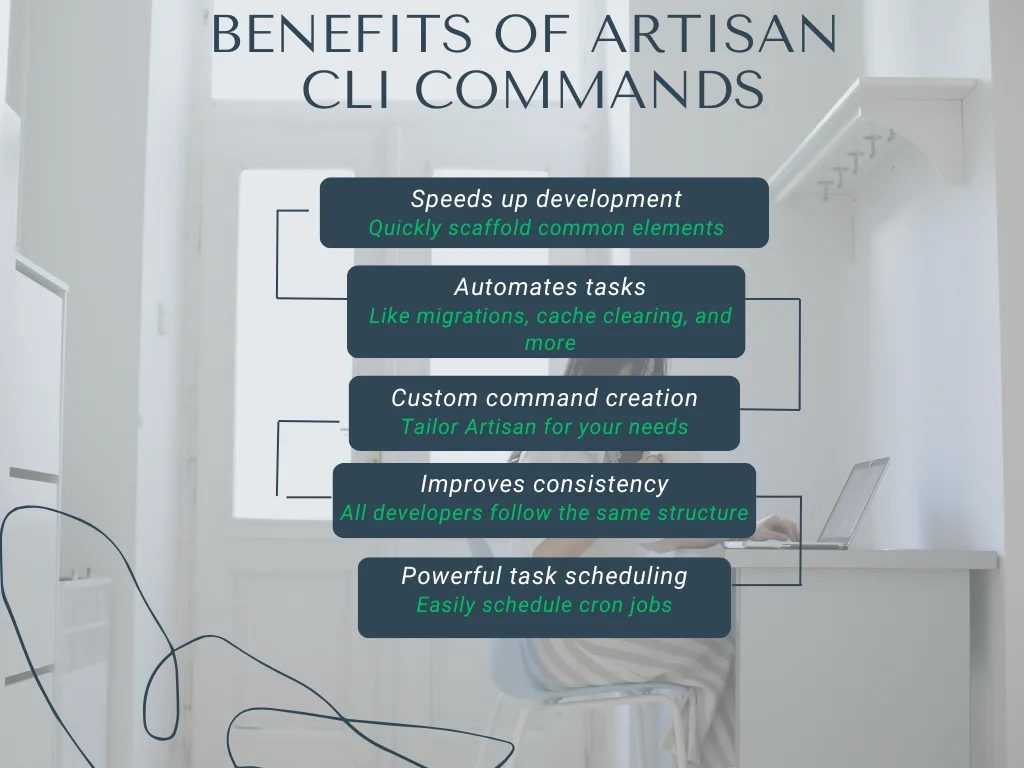
Artisan is a robust tool that can enhance the productivity and maintainability of your Laravel projects. Here are some of the major advantages:
- Speeds Up Development
Artisan allows you to automate repetitive tasks such as creating controllers, models, and migrations. This eliminates the need to write boilerplate code, giving you more time to focus on application logic. - Consistency Across Projects
With Artisan commands, all developers in a team will be able to follow the same conventions for creating and organizing code. This leads to more consistent and maintainable codebases. - Reduces Human Error
Because Artisan automates tasks, it reduces the chances of making errors that can arise from manually writing code. For instance, generating migrations using Artisan ensures they are written in the correct format, minimizing potential issues. - Powerful Database Management
Artisan’s migration commands make database schema changes easier. Running migrations and seeders becomes a one-line command, saving you the hassle of managing databases manually. - Custom Command Creation
Artisan allows you to create custom commands for your specific needs. For example, if you have repetitive tasks that can be automated, you can create a custom Artisan command to streamline those processes. - Simplifies Task Scheduling
Task scheduling in Laravel is more efficient with Artisan. You can define scheduled tasks in the application’sapp/Console/Kernel.phpfile, and Artisan will run them automatically at the specified intervals.
Common Artisan Commands Every Laravel Developer Should Know
Here are some essential Artisan commands that every Laravel developer should know:
- php artisan serve
This command starts the built-in Laravel development server. It’s great for testing your application locally.
php artisan serve2. php artisan make:controller ControllerName
Generate a new controller. You can even specify if you want the controller to be a resource controller (i.e., containing methods for handling CRUD operations).
php artisan make:controller PostController --resource3. php artisan make:model ModelName
Create a new model, optionally creating a corresponding migration file.
php artisan make:model Post -m4. php artisan make:migration MigrationName
Generate a new migration file. You can specify the table name for the migration as well.
php artisan make:migration create_posts_table5. php artisan migrate
Run all outstanding database migrations.
php artisan migrateHow to Create Custom Artisan Commands
Sometimes, the built-in commands aren’t enough for your specific needs. Fortunately, Laravel allows you to create your own Artisan commands. Here’s how to create a custom command:
1. Create a Command:
Use the make:command Artisan command to generate a new command class.
php artisan make:command MyCustomCommand2.Define the Command:
Open the newly created command class in app/Console/Commands/MyCustomCommand.php. You can define the command’s signature and logic inside this class.
Example:
class MyCustomCommand extends Command
{
protected $signature = 'my:custom-command';
protected $description = 'This is my custom command';

public function handle()
{
    $this->info('Custom command executed!');
}

}
3.Register the Command:
Register your custom command in the app/Console/Kernel.php file.
protected $commands = [
Commands\MyCustomCommand::class,
];
Run the Command:
Finally, you can run your custom command via the CLI.

php artisan my:custom-command
Conclusion
Artisan is one of the most powerful tools in Laravel. Whether you’re managing migrations, generating code, or scheduling tasks, Artisan helps you work more efficiently and consistently. By mastering Artisan commands, you’ll be able to streamline your development workflow and focus more on the features that matter most.
Remember, as your application grows, you can also extend Artisan’s functionality by creating custom commands tailored to your specific needs.