
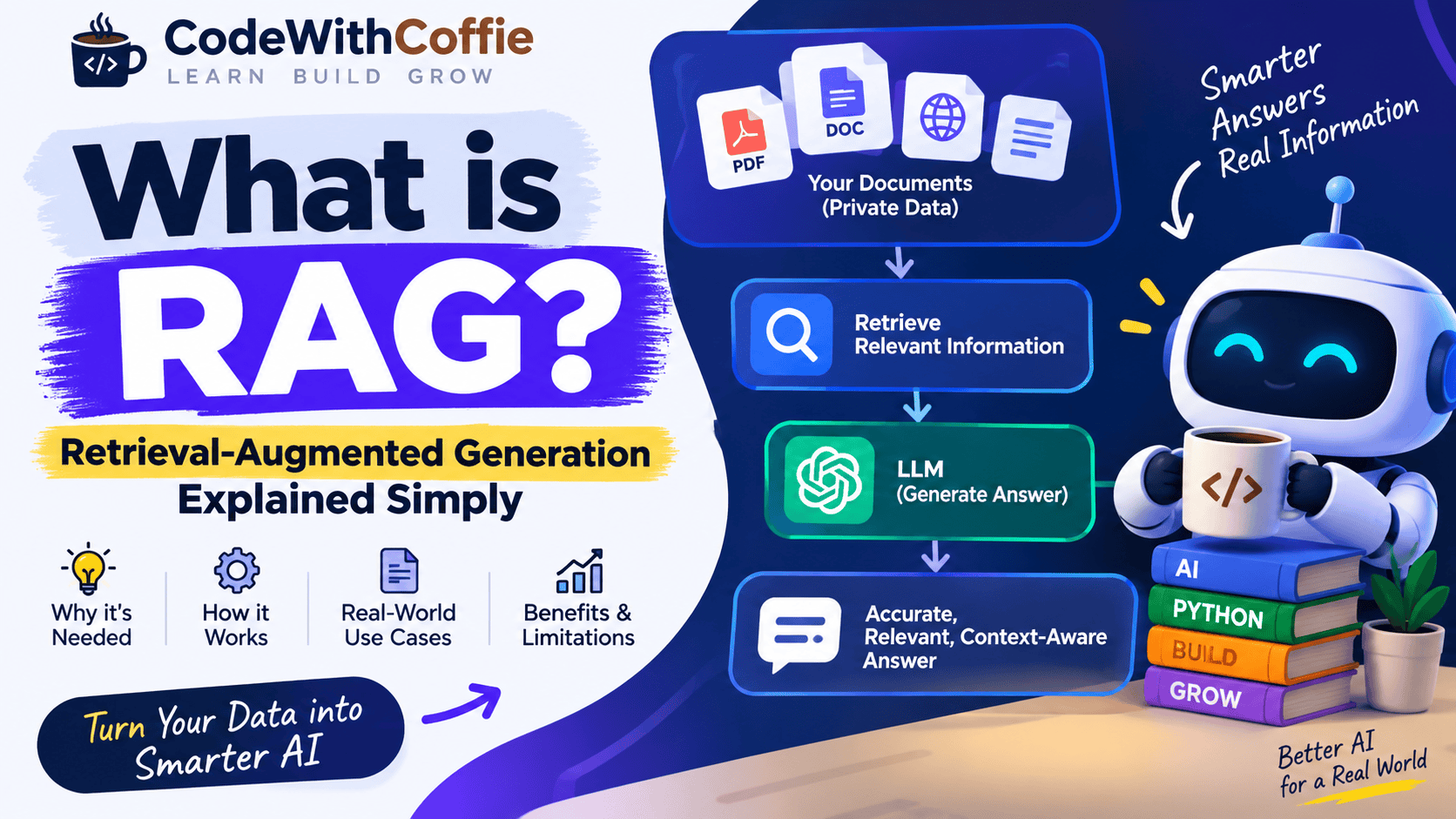
What is RAG? Retrieval-Augmented Generation Explained with Examples
Retrieval-Augmented Generation (RAG) is an AI technique that combines information retrieval with Large Language Models (LLMs) to generate more accurate, relevant, and context-aware answers.
Traditional AI models answer questions mainly from the knowledge they learned during training. RAG takes a different approach: before generating an answer, it searches for relevant information from an external knowledge source and provides that information to the AI model as context.
This makes RAG especially useful for applications such as AI chatbots, document-based question answering, customer support systems, company knowledge bases, and AI-powered search engines.
What is RAG?
RAG stands for Retrieval-Augmented Generation.
It is an AI architecture that allows a Large Language Model to retrieve relevant information from an external data source before generating an answer.
In simple words:
RAG = Search relevant information + Give it to AI + Generate an answer
For example, imagine you have a company’s 500-page employee handbook.
You ask an AI chatbot:
“How many days of annual leave does an employee get?”
A normal LLM may not know the company’s specific policy.
A RAG-based chatbot can:
- Search the employee handbook.
- Find the section about annual leave.
- Retrieve the relevant text.
- Send that text to the LLM.
- Generate an answer based on the retrieved information.
So instead of relying only on the model’s training knowledge, the AI can use your own data.
Why is RAG Needed?
RAG is needed because Large Language Models have several limitations.
1. LLMs Don’t Know Your Private Data
Suppose a company has internal documents containing:
- Employee policies
- Product documentation
- Customer information
- Internal procedures
- Technical documentation
- Company FAQs
A general-purpose LLM normally doesn’t have access to this private information.
RAG allows the application to retrieve information from these private sources and provide it to the model.
Example
Imagine a company has this document:
Product X supports 10,000 requests per minute.
Enterprise customers can increase the limit to 50,000 requests per minute.
A RAG application can retrieve this information when a user asks:
What is the API rate limit for Enterprise customers?
The LLM can then answer using the retrieved document.
2. LLM Knowledge Can Become Outdated
AI models are trained on information available at a particular point in time.
However, information changes constantly.
For example:
- Product prices change
- Company policies change
- Documentation changes
- Laws change
- Product specifications change
- Websites change
RAG allows applications to retrieve the latest information from an external knowledge source.
Instead of retraining the entire model whenever information changes, you can update the underlying knowledge base.
3. RAG Can Reduce Hallucinations
One of the major problems with generative AI is hallucination.
An AI hallucination occurs when a model generates information that sounds convincing but is incorrect or unsupported.
For example:
User:
What is the refund policy of Company ABC?
If the LLM has never seen Company ABC’s refund policy, it might generate a generic answer.
A RAG system can instead retrieve the company’s actual refund policy and give the model that information.
The model can then generate an answer based on the retrieved context.
However, RAG does not guarantee zero hallucinations. The quality of the retrieved information and the model’s response still matter.
4. RAG Makes AI Useful for Custom Knowledge
One of the biggest advantages of RAG is that you can connect AI with your own data.
For example, you can build a chatbot that understands:
- PDFs
- Word documents
- Websites
- Company databases
- Product documentation
- FAQs
- Knowledge bases
- Internal documents
- Research papers
This means you don’t need to train an AI model from scratch every time you want it to work with a new knowledge base.
How Does RAG Work?
A basic RAG pipeline looks like this:
Documents
   ↓
Document Processing
   ↓
Text Chunking
   ↓
Embeddings
   ↓
Vector Database
   ↓
User Question
   ↓
Query Embedding
   ↓
Similarity Search
   ↓
Relevant Documents
   ↓
LLM
   ↓
Generated Answer
Let’s understand each step.
Step 1: Collect Your Data
First, you need a knowledge source.
For example:
company_policy.pdf
product_documentation.pdf
faq.docx
website_content
database records
These documents become the knowledge base for your RAG application.
Step 2: Extract the Text
The application extracts readable text from the documents.
For example:
PDF
 ↓
Text

DOCX
 ↓
Text

Website
 ↓
Text
The extracted text is then prepared for further processing.
Step 3: Split Text into Chunks
Large documents cannot always be sent directly to an LLM.
Therefore, the text is divided into smaller pieces called chunks.
For example:
Document
    ↓
Chunk 1
Chunk 2
Chunk 3
Chunk 4
Chunk 5
A chunk could contain something like:
Our refund policy allows customers to request
a refund within 30 days of purchase.
Chunking is important because it helps the system retrieve only the relevant portions of a document.
Step 4: Convert Text into Embeddings
The next step is creating embeddings.
An embedding converts text into a numerical representation that captures its semantic meaning.
For example:
"How can I get my money back?"
and
"What is the refund policy?"
may use different words, but their meanings are similar.
Their embeddings can therefore be close to each other in vector space.
Conceptually:
Refund policy
      ↓
[0.21, 0.83, 0.12, 0.67, ...]
These vectors are stored in a vector database.
Step 5: Store Embeddings in a Vector Database
The generated embeddings are stored in a vector database.
Popular vector databases and vector search technologies include:
- Pinecone
- Weaviate
- Qdrant
- Milvus
- Chroma
- FAISS
The database allows the application to search for information based on meaning, rather than only exact keywords.
Step 6: User Asks a Question
Now the user asks:
How can I get a refund?
The application converts this question into an embedding.
User Question
      ↓
Embedding
      ↓
Vector Search
Step 7: Retrieve Relevant Information
The system compares the question embedding with the embeddings stored in the vector database.
It retrieves the most relevant chunks.
For example:
User:
How can I get a refund?

Retrieved Context:

"Customers can request a refund within
30 days of purchase."
This is the Retrieval part of Retrieval-Augmented Generation.
Step 8: Send Context to the LLM
The retrieved information is combined with the user’s question.
Conceptually:
System Instructions
+
Retrieved Context
+
User Question
        ↓
       LLM
The LLM then generates the final response.
For example:
You can request a refund within 30 days
of your purchase.
This is the Generation part of RAG.
RAG Architecture
A simplified RAG architecture can be represented as:
                KNOWLEDGE BASE
                      │
          ┌───────────┴───────────┐
          │                       │
       Documents               Website
          │                       │
          └───────────┬───────────┘
                      ↓
                 Text Chunks
                      ↓
                  Embeddings
                      ↓
                Vector Database
                      │
                      │
User Question ──→ Embedding
                      │
                      ↓
                Similarity Search
                      │
                      ↓
              Relevant Context
                      │
                      ↓
                    LLM
                      │
                      ↓
                Final Answer
RAG Example
Let’s take a simple example.
Suppose an online store has this document:
Shipping Policy

Standard shipping takes 5-7 business days.

Express shipping takes 2-3 business days.

Orders above ₹2,000 qualify for free standard shipping.
The user asks:
Do I get free shipping if my order is ₹2,500?
The RAG system retrieves:
Orders above ₹2,000 qualify for free standard shipping.
The LLM receives the question and retrieved information and generates:
Yes. Orders above ₹2,000 qualify for free standard shipping,
so your ₹2,500 order is eligible.
RAG vs Traditional LLM
There is an important difference between a normal LLM application and a RAG application.
| Feature | Traditional LLM | RAG |
|---|---|---|
| External knowledge | Limited | Yes |
| Private documents | Not automatically | Yes |
| Dynamic information | Difficult | Easier |
| Document search | No | Yes |
| Knowledge updates | Usually require model/data updates | Update knowledge base |
| Hallucination control | Limited | Can be improved with retrieved context |
| Custom company knowledge | Limited | Strong use case |
RAG doesn’t replace an LLM. Instead, it gives the LLM access to relevant external information.
RAG vs Fine-Tuning
RAG and fine-tuning are often confused.
They solve different problems.
RAG
RAG is useful when you want an AI model to access external or changing information.
Example:
Company documentation
        ↓
RAG
        ↓
AI chatbot
Fine-Tuning
Fine-tuning changes the model’s behavior by training it further on a specific dataset.
It can be useful when you want the model to learn things such as:
- A particular response style
- Specific formatting
- Specialized behavior
- Domain-specific patterns
Simple Difference
RAG
→ Give the model information at query time.

Fine-tuning
→ Train the model to behave differently.
In many real-world applications, RAG can be a more practical starting point when the main requirement is access to a private or frequently changing knowledge base.
Real-World Uses of RAG
RAG is used in many AI applications.
1. AI Chatbots
Companies can build chatbots that answer questions using their own documentation.
Example:
Customer
   ↓
Question
   ↓
RAG
   ↓
Company Knowledge Base
   ↓
LLM
   ↓
Answer
2. PDF Question Answering
You can upload a PDF and ask questions about it.
For example:
Upload:
Laravel Documentation.pdf

Question:
How does Laravel middleware work?
The RAG system retrieves the relevant section and generates an answer.
3. Company Knowledge Base
Employees can ask:
What is our leave policy?

How do I request reimbursement?

What is the onboarding process?
The system retrieves information from internal company documents.
4. Customer Support
RAG can connect an AI assistant to:
- Product documentation
- FAQs
- Support articles
- Troubleshooting guides
This allows the chatbot to answer customer questions using the company’s knowledge base.
5. AI Search Engines
Traditional search engines primarily return documents.
RAG systems can retrieve documents and then generate a natural-language answer based on them.
6. Developer Documentation Assistants
A developer can ask:
How do I configure this API?
The RAG system retrieves the relevant documentation and generates an explanation.
Advantages of RAG
RAG provides several benefits.
1. Access to Private Data
RAG can work with your own documents and knowledge bases.
2. Easier Knowledge Updates
You can update the knowledge source without retraining the entire LLM.
3. Better Context
The model receives information relevant to the user’s question.
4. Domain-Specific Answers
RAG can make a general-purpose LLM useful for specific business domains.
5. Source-Based Answers
A well-designed RAG application can return the documents or passages used to answer a question, improving transparency.
Limitations of RAG
RAG is powerful, but it is not perfect.
Poor Retrieval
If the system retrieves the wrong document or chunk, the LLM may produce a poor answer.
Bad Retrieval
      ↓
Bad Context
      ↓
Bad Answer
This is why retrieval quality is extremely important.
Chunking Problems
If documents are split incorrectly, important information may be separated or lost.
Large Knowledge Bases
As the amount of data grows, retrieval and indexing need to be designed carefully.
Hallucinations Can Still Happen
RAG can reduce hallucinations, but it cannot completely eliminate them.
Complex Documents
Tables, images, scanned PDFs, and complicated layouts may require specialized processing.
What is a Vector Database?
A vector database stores and searches vector embeddings.
Instead of searching only for exact words, it can find information based on semantic similarity.
For example:
Question:
How do I return a product?

Document:
Products can be returned within 30 days.
Even though the words aren’t identical, the system can recognize that the two pieces of text are related.
Popular technologies include:
- Pinecone
- Qdrant
- Weaviate
- Milvus
- Chroma
- FAISS
What are Embeddings?
Embeddings are numerical representations of data.
Text can be converted into a vector:
"How do I reset my password?"
↓
[0.14, 0.73, 0.21, 0.89, ...]
The exact numbers aren’t important to the user. What matters is that semantically similar text tends to have vectors that are close according to the chosen similarity metric.
This allows RAG systems to perform semantic search.
What is Retrieval in RAG?
Retrieval means finding the most relevant information from a knowledge base.
For example:
Question
   ↓
Search
   ↓
Top relevant chunks
   ↓
LLM
A common approach is similarity search using embeddings.
Other retrieval techniques can also be combined with vector search, such as keyword search and hybrid retrieval.
What is Generation in RAG?
Generation is the process where the LLM creates the final response.
The model receives:
User Question
+
Retrieved Context
+
Instructions
and generates:
Final Answer
That’s why the architecture is called:
Retrieval-Augmented Generation
Simple RAG Workflow
The entire process can be summarized as:
1. Collect documents
       ↓
2. Extract text
       ↓
3. Split text into chunks
       ↓
4. Generate embeddings
       ↓
5. Store embeddings
       ↓
6. User asks question
       ↓
7. Generate query embedding
       ↓
8. Retrieve relevant chunks
       ↓
9. Send context to LLM
       ↓
10. Generate final answer
What Technologies Are Used to Build RAG?
A typical RAG application may contain:
Programming Language
Python
LLM
Examples include:
OpenAI models
Anthropic models
Google Gemini models
Open-source LLMs
Embedding Model
Used to convert text into vectors.
Vector Database
Examples:
Pinecone
Qdrant
Weaviate
Chroma
Milvus
FAISS
RAG Frameworks
Popular frameworks include:
LangChain
LlamaIndex
Backend
You can build the API using frameworks such as:
FastAPI
Flask
Django
Is RAG the Same as ChatGPT?
No.
ChatGPT is an AI application that uses large language models and can use additional tools and knowledge sources depending on the product and configuration.
RAG is an architecture/pattern that can be used to give an LLM access to external information.
You can build your own RAG application using an LLM, a retrieval system, and your own knowledge base.
Why Should Developers Learn RAG?
RAG has become an important concept in modern AI application development.
Developers can use RAG to build applications such as:
PDF Chatbot
AI Customer Support
Company Knowledge Assistant
Documentation Assistant
AI Search
Research Assistant
Internal Knowledge Base
For developers moving into AI and Python backend development, RAG is especially useful because it combines several practical skills:
Python
   +
APIs
   +
LLMs
   +
Embeddings
   +
Vector Databases
   +
Search
   +
Backend Development
Conclusion
RAG (Retrieval-Augmented Generation) is an architecture that combines information retrieval with generative AI.
Instead of relying only on what an LLM learned during training, RAG allows an application to retrieve relevant information from an external knowledge source and provide it to the model as context.
The basic idea is simple:
Your Data
   ↓
Retrieve Relevant Information
   ↓
LLM
   ↓
Useful Answer
This makes RAG particularly useful for AI chatbots, document question answering, company knowledge bases, customer support, documentation assistants, and AI search applications.
If you want to build modern AI applications, understanding RAG is an important step because it connects traditional software development with LLMs, semantic search, embeddings, and vector databases.
Frequently Asked Questions (FAQs)
What does RAG stand for in AI?
RAG stands for Retrieval-Augmented Generation.
What is RAG in simple words?
RAG allows an AI model to search relevant external information before generating an answer.
Why is RAG needed?
RAG is useful when an AI application needs access to private, domain-specific, or frequently changing information.
Does RAG eliminate AI hallucinations?
No. RAG can help reduce unsupported answers by providing relevant context, but it does not completely eliminate hallucinations.
Is RAG better than fine-tuning?
RAG and fine-tuning solve different problems. RAG is primarily used for retrieving external knowledge, while fine-tuning is used to adapt model behavior or specialize it for certain patterns.
Which language is commonly used for RAG?
Python is widely used for RAG development because of its extensive AI, machine learning, API, and data-processing ecosystem.
Can RAG work with PDFs?
Yes. PDFs can be processed, converted into text, divided into chunks, embedded, and stored in a vector database for retrieval.
What is a vector database in RAG?
A vector database stores embeddings and allows applications to retrieve information based on semantic similarity.
Can I build a RAG chatbot?
Yes. A basic RAG chatbot can be built using Python, an embedding model, a vector database, an LLM, and a retrieval pipeline.
What is RAG in simple words?What is RAG in simple words?
RAG allows an AI model to search relevant external information before generating an answer.
Why is RAG needed?
RAG is useful when an AI application needs access to private, domain-specific, or frequently changing information.
Does RAG eliminate AI hallucinations?
No. RAG can help reduce unsupported answers by providing relevant context, but it does not completely eliminate hallucinations.
Is RAG better than fine-tuning?
RAG and fine-tuning solve different problems. RAG is primarily used for retrieving external knowledge, while fine-tuning is used to adapt model behavior or specialize it for certain patterns.
Which language is commonly used for RAG?
Python is widely used for RAG development because of its extensive AI, machine learning, API, and data-processing ecosystem.
Can RAG work with PDFs?
Yes. PDFs can be processed, converted into text, divided into chunks, embedded, and stored in a vector database for retrieval.
What is a vector database in RAG?
A vector database stores embeddings and allows applications to retrieve information based on semantic similarity.
Can I build a RAG chatbot?
Yes. A basic RAG chatbot can be built using Python, an embedding model, a vector database, an LLM, and a retrieval pipeline.