
Python Input and Output: input(), print() & User Input Handling
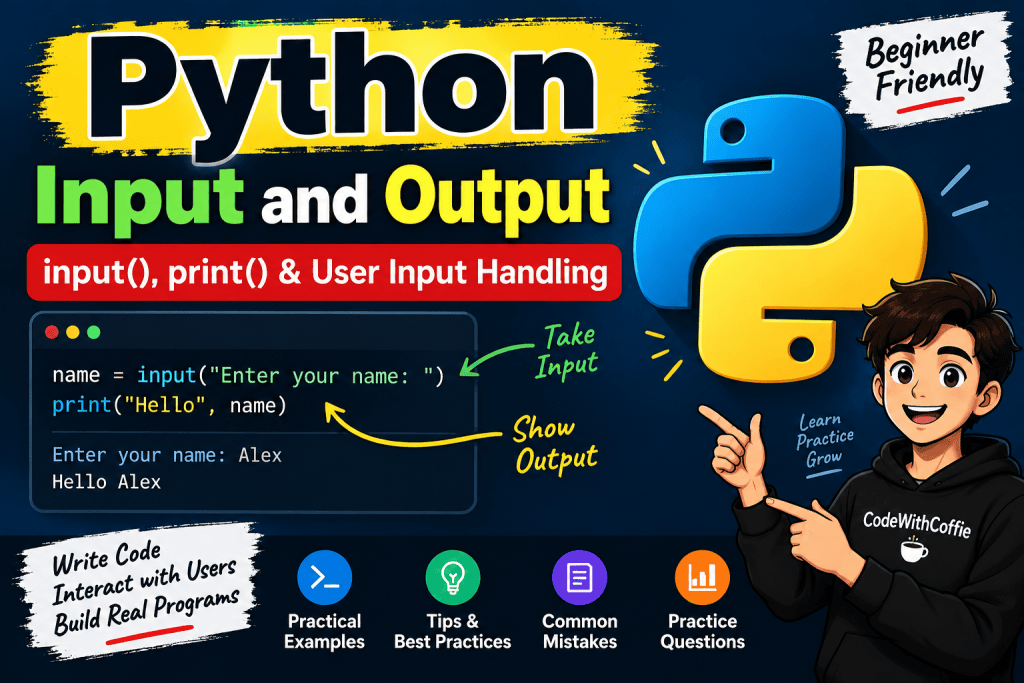
Python me program ko useful banane ke liye sirf calculations karna enough nahi hai. Hume user se input lena aur us input ka output display karna bhi aana chahiye.
Python me user input lene ke liye mainly input() function aur output display karne ke liye print() function ka use kiya jata hai.
Is tutorial me hum Python Input and Output ko beginner-friendly examples ke saath samjhenge.
What is Input and Output in Python?
Simple language me:
- Input → User se data lena
- Output → User ko result dikhana
Example:
name = input("Enter your name: ")
print("Hello", name)
Output:
Enter your name: Himanshu
Hello Himanshu
Yahan:
input()user se name leta hai.print()name ko screen par display karta hai.
Python print() Function
Python me output display karne ke liye print() function ka use hota hai.
Basic Example
print("Hello Python")
Output:
Hello Python
Aap numbers bhi print kar sakte hain:
print(100)
print(25.50)
Output:
100
25.5
Printing Multiple Values
print() ke andar multiple values pass ki ja sakti hain.
name = "Himanshu"
age = 28
print(name, age)
Output:
Himanshu 28
Python automatically multiple values ke beech space add karta hai.
Printing Variables
Variables ke value ko bhi print() ke through display kar sakte hain.
name = "Himanshu"
age = 28
print(name)
print(age)
Output:
Himanshu
28
Aap text aur variable ko ek saath bhi print kar sakte hain:
name = "Himanshu"
print("My name is", name)
Output:
My name is Himanshu
Python input() Function
Python me user se data lene ke liye input() function ka use hota hai.
Example:
name = input("Enter your name: ")
print("Hello", name)
Agar user enter kare:
Himanshu
Output:
Hello Himanshu
input() ka Syntax
variable = input("Message")
Example:
city = input("Enter your city: ")
Yahan user jo value enter karega, woh city variable me store ho jayegi.
Important: input() Always Returns a String
Python me input() function se milne wali value string (str) hoti hai, chahe user number hi kyon na enter kare.
Example:
age = input("Enter your age: ")
print(type(age))
Agar user enter karta hai:
25
Output:
<class 'str'>
Isliye agar hume input ko number ki tarah use karna hai, to uska type conversion karna padega.
Taking Integer Input in Python
Integer input lene ke liye int() ka use karte hain.
age = int(input("Enter your age: "))
print(age)
Ab age ka data type integer hoga.
age = int(input("Enter your age: "))
print(type(age))
Output:
<class 'int'>
Taking Float Input in Python
Decimal number lene ke liye float() ka use kiya jata hai.
price = float(input("Enter product price: "))
print(price)
Example input:
499.99
Output:
499.99
String Input in Python
String input ke liye directly input() use kar sakte hain.
name = input("Enter your name: ")
print(name)
By default input() string return karta hai, isliye str() lagana generally necessary nahi hai.
Taking Multiple Inputs in Python
Python me ek hi line me multiple inputs bhi liye ja sakte hain.
Example:
name, city = input("Enter name and city: ").split()
print(name)
print(city)
Input:
Himanshu Kashipur
Output:
Himanshu
Kashipur
Yahan split() input ko spaces ke basis par separate karta hai.
Taking Multiple Integer Inputs
Agar multiple numbers lene hain:
a, b = map(int, input("Enter two numbers: ").split())
print(a)
print(b)
Input:
10 20
Output:
10
20
Yahan:
input()input leta hai.split()values ko separate karta hai.map(int, ...)har value ko integer me convert karta hai.
Taking Multiple Float Inputs
Isi tarah multiple decimal values bhi le sakte hain:
a, b = map(float, input("Enter two numbers: ").split())
print(a)
print(b)
Input:
10.5 20.5
Output:
10.5
20.5
Python print() with sep
print() function me sep parameter ka use values ke beech separator define karne ke liye hota hai.
Example:
print("Python", "JavaScript", "PHP", sep=" | ")
Output:
Python | JavaScript | PHP
Default separator space hota hai.
print("Hello", "World")
Output:
Hello World
Python print() with end
Normally print() ke baad cursor next line par chala jata hai.
Example:
print("Hello")
print("Python")
Output:
Hello
Python
Agar aap same line me output chahte hain, to end ka use kar sakte hain.
print("Hello", end=" ")
print("Python")
Output:
Hello Python
Another example:
print("Hello", end="---")
print("Python")
Output:
Hello---Python
Using f-Strings with print()
Python me variables ke saath output display karne ke liye f-string bahut useful hai.
Example:
name = "Himanshu"
age = 28
print(f"My name is {name} and I am {age} years old.")
Output:
My name is Himanshu and I am 28 years old.
Yahan {name} aur {age} ke andar variables ki values automatically insert ho jati hain.
User Input with Calculation
User input ko calculations me bhi use kar sakte hain.
Example:
num1 = int(input("Enter first number: "))
num2 = int(input("Enter second number: "))
result = num1 + num2
print("Sum:", result)
Input:
Enter first number: 10
Enter second number: 20
Output:
Sum: 30
Example: Calculate Age
birth_year = int(input("Enter your birth year: "))
current_year = 2026
age = current_year - birth_year
print("Your age is:", age)
Example output:
Enter your birth year: 1997
Your age is: 29
Example: Calculate Area of Rectangle
User se length aur width lekar rectangle ka area calculate kar sakte hain.
length = float(input("Enter length: "))
width = float(input("Enter width: "))
area = length * width
print("Area of rectangle:", area)
Input:
Enter length: 10
Enter width: 5
Output:
Area of rectangle: 50.0
Example: Simple User Profile
Python input aur output ka ek simple practical example:
name = input("Enter your name: ")
age = int(input("Enter your age: "))
city = input("Enter your city: ")
print("\n--- User Profile ---")
print(f"Name: {name}")
print(f"Age: {age}")
print(f"City: {city}")
Example output:
Enter your name: Himanshu
Enter your age: 28
Enter your city: Kashipur
--- User Profile ---
Name: Himanshu
Age: 28
City: Kashipur
Common Mistake with input()
Beginners aksar ye mistake karte hain:
num1 = input("Enter first number: ")
num2 = input("Enter second number: ")
print(num1 + num2)
Agar input hai:
10
20
Output hoga:
1020
Why?
Kyuki input() string return karta hai.
Python ise:
"10" + "20"
ki tarah treat karta hai.
Isliye result:
"1020"
aata hai.
Correct Way
num1 = int(input("Enter first number: "))
num2 = int(input("Enter second number: "))
print(num1 + num2)
Output:
30
Type Conversion with User Input
Input ke saath commonly ye conversions use kiye jate hain:
| Function | Purpose |
|---|---|
str() | String me convert karna |
int() | Integer me convert karna |
float() | Decimal number me convert karna |
bool() | Boolean me convert karna |
Example:
age = int(input("Enter age: "))
salary = float(input("Enter salary: "))
name = str(input("Enter name: "))
Handling Invalid User Input
Agar user integer ki jagah text enter kar de:
age = int(input("Enter your age: "))
Aur user enter kare:
twenty
To Python error dega:
ValueError
Is situation ko handle karne ke liye baad me hum try-except ka use seekhenge.
Basic example:
try:
age = int(input("Enter your age: "))
print("Your age is:", age)
except ValueError:
print("Please enter a valid number.")
New Line in Python Output
Output ko new line me display karne ke liye \n ka use kar sakte hain.
print("Hello\nPython")
Output:
Hello
Python
Example:
print("Name: Himanshu\nAge: 28\nCity: Kashipur")
Output:
Name: Himanshu
Age: 28
City: Kashipur
Tab Space in Python
\t tab space ke liye use hota hai.
print("Name:\tHimanshu")
print("Age:\t28")
Output:
Name: Himanshu
Age: 28
Python Input and Output Best Practices
Python me input/output ke saath kaam karte waqt kuch important points yaad rakhein:
input()user se data leta hai.input()by default string return karta hai.- Number ke liye
int()yafloat()use karein. - Multiple values ke liye
split()useful hai. - Multiple numbers ke liye
map()ka use kar sakte hain. - Formatted output ke liye f-strings use karna easy hai.
- Invalid input ke liye
try-exceptuse kiya ja sakta hai. print()output display karta hai.sepvalues ke beech separator set karta hai.endprint ke end behavior ko control karta hai.
Python Input and Output Practice Questions
Ab concepts ko strong karne ke liye ye programs khud banane ki koshish karein.
Practice 1: Name
User se name input lekar print karein:
Enter your name: Himanshu
Hello Himanshu
Practice 2: Addition
Do numbers input lekar unka sum print karein.
Practice 3: Rectangle
Length aur width input lekar area calculate karein.
Practice 4: Student Details
Name, age aur city input lekar formatted profile print karein.
Practice 5: Average
Teen numbers input lekar unka average calculate karein.
Practice 6: Simple Bill
Product price aur quantity input lekar total amount calculate karein.
Conclusion
Python me Input and Output programming ke sabse basic aur important concepts me se ek hai.
User se data lene ke liye:
input()
Aur output display karne ke liye:
print()
ka use hota hai.
Sabse important point yaad rakhein:
input()
always returns a string by default.
Agar number ke form me input chahiye, to:
int(input())
ya
float(input())
ka use karein.
Example:
name = input("Enter your name: ")
age = int(input("Enter your age: "))

print(f"Hello {name}, you are {age} years old.")
Ye concepts aage Python ke conditions, loops, functions aur real-world projects me continuously use honge.
Quick Summary
# String input
name = input("Enter your name: ")

# Integer input
age = int(input("Enter your age: "))

# Float input
price = float(input("Enter price: "))

# Output
print("Hello", name)

# Formatted output
print(f"My name is {name}")

# Multiple inputs
a, b = map(int, input("Enter two numbers: ").split())
Next Topic: Python Type Casting & Type Conversion — int(), float(), str() & bool()