
Python Operators: Arithmetic, Comparison, Logical & Assignment Operators
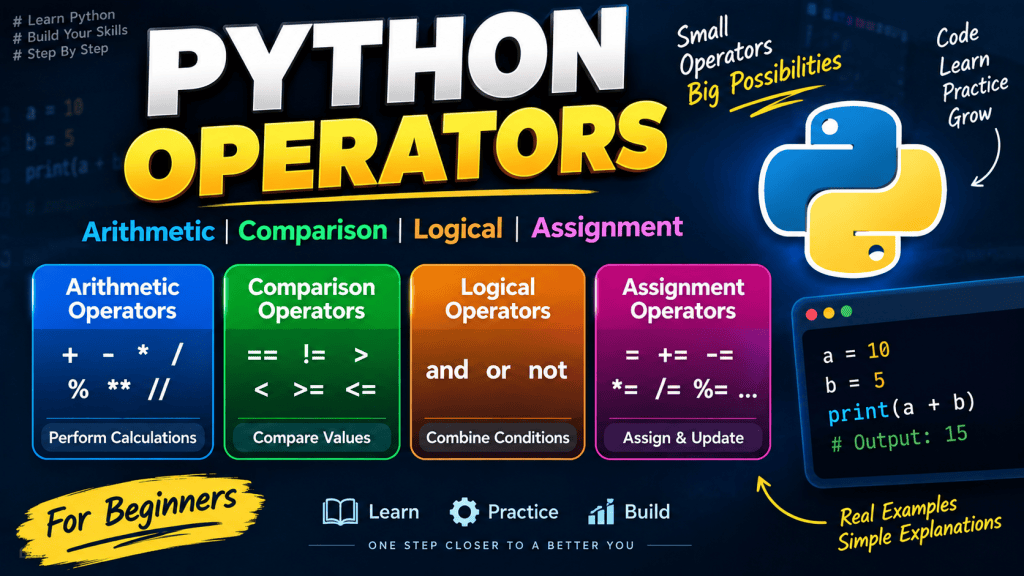
Python operators are special symbols and keywords used to perform operations on values and variables. They allow us to perform calculations, compare values, combine conditions, assign values, and perform many other operations in Python.
For example:
a = 10
b = 5

print(a + b)Output:
15Here, + is an arithmetic operator used to add two values.
In this tutorial, we will learn the most commonly used Python operators, including:
- Arithmetic Operators
- Comparison Operators
- Logical Operators
- Assignment Operators
We will also look at practical examples and common mistakes beginners should avoid.
What Are Operators in Python?
An operator is a symbol or keyword that tells Python to perform a particular operation.
For example:
x = 10
y = 20

result = x + y

print(result)Output:
30In this example:
xandyare operands.+is the operator.x + yis an expression.30is the result.
Basic Structure
Operand → Operator → OperandExample:
10 + 20Here:
10 → Operand
+  → Operator
20 → OperandTypes of Operators in Python
Python provides several types of operators.
| Operator Type | Purpose |
|---|---|
| Arithmetic Operators | Perform mathematical calculations |
| Comparison Operators | Compare two values |
| Logical Operators | Combine multiple conditions |
| Assignment Operators | Assign and update values |
| Identity Operators | Compare object identity |
| Membership Operators | Check whether a value exists |
| Bitwise Operators | Perform operations at bit level |
In this tutorial, we will focus mainly on the four fundamental types:
- Arithmetic Operators
- Comparison Operators
- Logical Operators
- Assignment Operators
1. Arithmetic Operators in Python
Arithmetic operators are used to perform mathematical calculations such as addition, subtraction, multiplication, and division.
Python provides the following arithmetic operators:
| Operator | Name | Example | Result |
|---|---|---|---|
+ | Addition | 10 + 5 | 15 |
- | Subtraction | 10 - 5 | 5 |
* | Multiplication | 10 * 5 | 50 |
/ | Division | 10 / 5 | 2.0 |
% | Modulus | 10 % 3 | 1 |
** | Exponentiation | 2 ** 3 | 8 |
// | Floor Division | 10 // 3 | 3 |
Let’s understand each one.
Addition Operator +
The + operator is used to add two values.
a = 10
b = 20

result = a + b

print(result)Output:
30The + operator can also be used with strings.
first_name = "Himanshu"
last_name = "Sharma"

name = first_name + " " + last_name

print(name)Output:
Himanshu SharmaSubtraction Operator -
The - operator is used to subtract one value from another.
a = 20
b = 8

print(a - b)Output:
12Multiplication Operator *
The * operator is used for multiplication.
price = 100
quantity = 5

total = price * quantity

print(total)Output:
500It can also repeat strings.
print("Python " * 3)Output:
Python Python PythonDivision Operator /
The / operator performs division.
a = 10
b = 2

result = a / b

print(result)Output:
5.0Notice that Python returns a float when using /, even when the result is mathematically a whole number.
print(10 / 2)Output:
5.0Modulus Operator %
The % operator returns the remainder after division.
print(10 % 3)Output:
1Because:
10 ÷ 3 = 3 remainder 1Practical Example
The modulus operator is commonly used to check whether a number is even or odd.
number = 10

if number % 2 == 0:
    print("Even")
else:
print("Odd")Output:
EvenExponentiation Operator **
The ** operator is used to calculate powers.
print(2 ** 3)Output:
8This means:
2 × 2 × 2 = 8Another example:
print(5 ** 2)Output:
25Floor Division Operator //
The // operator performs division and returns the floor value.
print(10 // 3)Output:
3Compare it with normal division:
print(10 / 3)Output:
3.3333333333333335Whereas:
print(10 // 3)Output:
32. Comparison Operators in Python
Comparison operators are used to compare two values.
The result of a comparison is always a Boolean value:
Trueor
FalsePython provides these comparison operators:
| Operator | Meaning | Example |
|---|---|---|
== | Equal to | 10 == 10 |
!= | Not equal to | 10 != 5 |
> | Greater than | 10 > 5 |
< | Less than | 5 < 10 |
>= | Greater than or equal to | 10 >= 10 |
<= | Less than or equal to | 5 <= 10 |
Equal To ==
The == operator checks whether two values are equal.
a = 10
b = 10

print(a == b)Output:
TrueIf the values are different:
print(10 == 20)Output:
FalseImportant: = vs ==
This is one of the most common mistakes beginners make.
x = 10= assigns a value.
x == 10== compares two values.
Not Equal !=
The != operator checks whether two values are different.
a = 10
b = 20

print(a != b)Output:
TrueGreater Than >
The > operator checks whether the left value is greater than the right value.
print(20 > 10)Output:
TrueLess Than <
The < operator checks whether the left value is smaller than the right value.
print(10 < 20)Output:
TrueGreater Than or Equal To >=
This checks whether a value is greater than or equal to another value.
age = 18

print(age >= 18)Output:
TrueThis is commonly used in conditions such as age validation.
Less Than or Equal To <=
This checks whether a value is less than or equal to another value.
marks = 35

print(marks <= 40)Output:
True3. Logical Operators in Python
Logical operators are used to combine multiple conditions.
Python provides three logical operators:
| Operator | Meaning |
|---|---|
and | Returns true when all conditions are true |
or | Returns true when at least one condition is true |
not | Reverses the result |
and Operator
The and operator returns True only when both conditions are true.
age = 25
has_license = True

print(age >= 18 and has_license)Output:
TrueBoth conditions are true:
age >= 18       → True
has_license → TrueTherefore:
True and True → TrueExample
username = "admin"
password = "12345"

if username == "admin" and password == "12345":
print("Login successful")Output:
Login successfulor Operator
The or operator returns True when at least one condition is true.
age = 17
has_permission = True

print(age >= 18 or has_permission)Output:
TrueThe first condition is false, but the second condition is true.
False or True → Truenot Operator
The not operator reverses a Boolean result.
is_logged_in = True

print(not is_logged_in)Output:
FalseAnother example:
is_admin = False

if not is_admin:
print("Access denied")Output:
Access deniedLogical Operators Truth Table
Understanding truth tables makes logical operators much easier.
AND
| A | B | A and B |
|---|---|---|
| True | True | True |
| True | False | False |
| False | True | False |
| False | False | False |
OR
| A | B | A or B |
|---|---|---|
| True | True | True |
| True | False | True |
| False | True | True |
| False | False | False |
NOT
| A | not A |
|---|---|
| True | False |
| False | True |
4. Assignment Operators in Python
Assignment operators are used to assign values to variables.
The basic assignment operator is:
=Example:
name = "Himanshu"
age = 28Python also provides compound assignment operators.
| Operator | Example | Equivalent To |
|---|---|---|
= | x = 10 | x = 10 |
+= | x += 5 | x = x + 5 |
-= | x -= 5 | x = x - 5 |
*= | x *= 5 | x = x * 5 |
/= | x /= 5 | x = x / 5 |
%= | x %= 5 | x = x % 5 |
**= | x **= 2 | x = x ** 2 |
//= | x //= 2 | x = x // 2 |
Basic Assignment =
name = "Himanshu"
age = 28Here Python stores the values in the respective variables.
Addition Assignment +=
Instead of:
x = x + 5we can write:
x += 5Example:
x = 10

x += 5

print(x)Output:
15Subtraction Assignment -=
x = 10

x -= 3

print(x)Output:
7This is equivalent to:
x = x - 3Multiplication Assignment *=
x = 5

x *= 3

print(x)Output:
15Division Assignment /=
x = 10

x /= 2

print(x)Output:
5.0Modulus Assignment %=
x = 10

x %= 3

print(x)Output:
1Exponentiation Assignment **=
x = 2

x **= 3

print(x)Output:
8Practical Example Using Multiple Operators
Let’s combine arithmetic, comparison, logical, and assignment operators in one example.
price = 1000
discount = 100

price -= discount

print("Final Price:", price)

if price > 500 and price <= 1000:
print("Discounted product available")Output:
Final Price: 900
Discounted product availableIn this example:
-=is an assignment operator.>and<=are comparison operators.andis a logical operator.
Operator Precedence in Python
When multiple operators are used in the same expression, Python follows a specific order of precedence.
For example:
result = 10 + 5 * 2

print(result)Output:
20Why not 30?
Because multiplication is performed before addition.
Python effectively evaluates:
10 + (5 * 2)So:
10 + 10 = 20Common Precedence Order
A simplified order is:
()Parentheses**Exponentiation*,/,//,%+,-- Comparison operators
notandor
Use Parentheses for Clarity
Instead of relying on precedence:
result = 10 + 5 * 2you can make the intention clear:
result = 10 + (5 * 2)Common Mistakes Beginners Make
1. Confusing = and ==
Incorrect understanding:
if age = 18:Correct:
if age == 18:Use:
=for assignment and:
==for comparison.
2. Confusing / and //
10 / 3returns:
3.3333333333333335while:
10 // 3returns:
33. Forgetting Operator Precedence
Consider:
result = 10 + 2 * 5The answer is:
20not:
60Use parentheses when the calculation needs to be explicit.
4. Using and When or Is Required
These two operators have different meanings.
age >= 18 and age <= 60means both conditions must be true.
Whereas:
age < 18 or age > 60means at least one condition must be true.
Understanding the difference is very important when writing conditions.
Python Operators Quick Reference
| Category | Operators |
|---|---|
| Arithmetic | +, -, *, /, %, **, // |
| Comparison | ==, !=, >, <, >=, <= |
| Logical | and, or, not |
| Assignment | =, +=, -=, *=, /=, %=, **=, //= |
Practice Questions
Try solving these examples yourself.
Question 1
What will be the output?
x = 10
y = 3

print(x + y)
print(x % y)
print(x // y)Question 2
What will this return?
print(10 > 5 and 20 > 10)Question 3
What will be the final value of x?
x = 10

x += 5
x *= 2Question 4
Check whether a number is even:
number = 24Hint:
number % 2Question 5
Write a condition that checks whether a person’s age is between 18 and 60.
Frequently Asked Questions
What are operators in Python?
Operators are symbols or keywords used to perform operations on values and variables, such as calculations, comparisons, logical operations, and assignments.
What are the main types of Python operators?
Python has several types of operators, including arithmetic, comparison, logical, assignment, identity, membership, and bitwise operators.
What is the difference between = and == in Python?
= is used to assign a value to a variable, while == is used to compare two values.
What does % mean in Python?
The % operator is called the modulus operator. It returns the remainder after division.
For example:
10 % 3returns:
1What is the difference between / and //?
/ performs normal division and returns a float, while // performs floor division.
10 / 3
# 3.3333333333333335

10 // 3
# 3What does and do in Python?
The and operator returns true when all the specified conditions are true.
What does or do in Python?
The or operator returns true when at least one of the specified conditions is true.
Conclusion
Python operators are one of the most important concepts to understand before moving to conditions, loops, functions, and more advanced Python programming.
The four operators covered in this tutorial are especially important for beginners:
- Arithmetic operators help perform calculations.
- Comparison operators help compare values.
- Logical operators help combine multiple conditions.
- Assignment operators help assign and update variable values.
Once you understand these operators, you will be able to write much more useful Python programs and understand conditional statements more easily.