
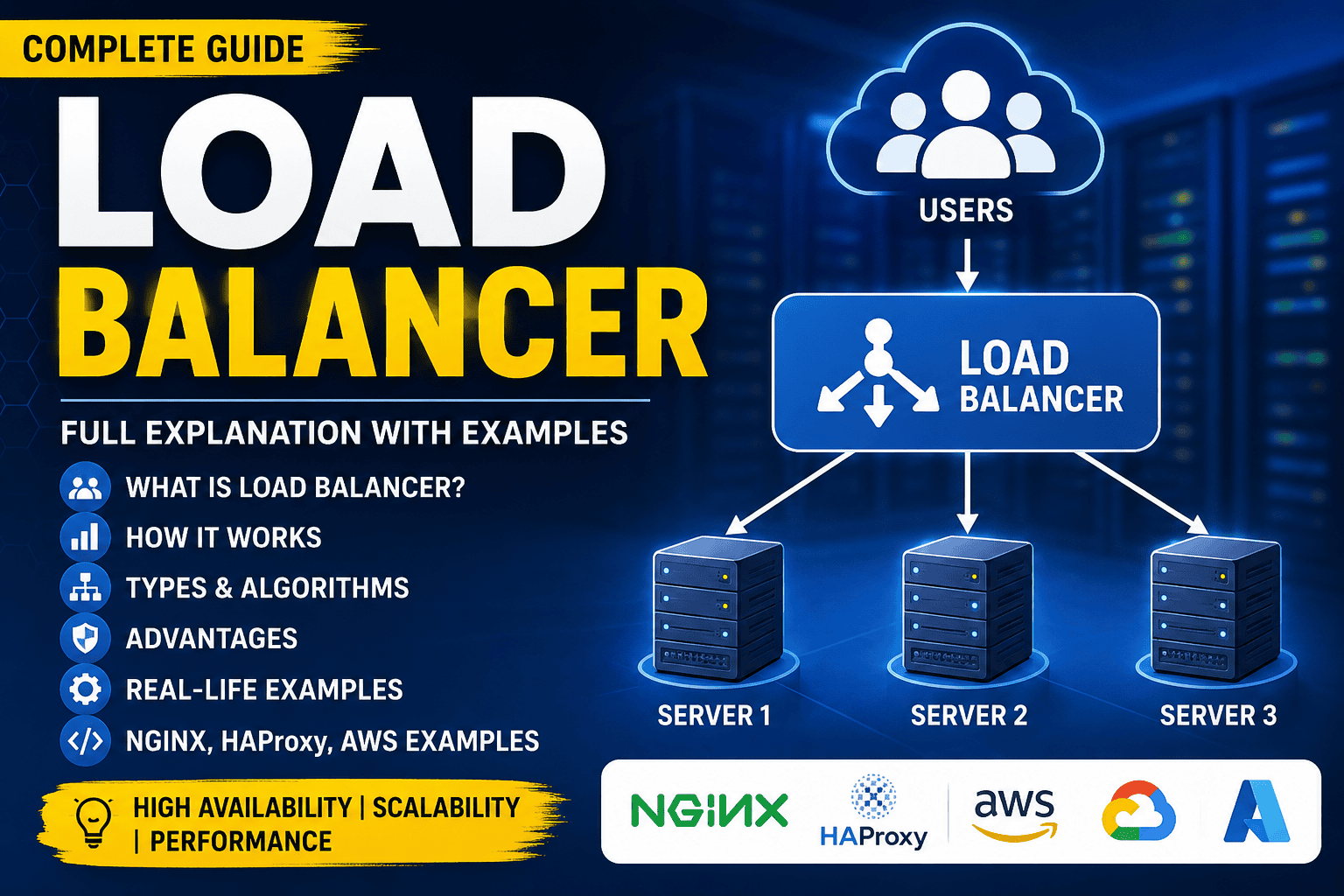
Load Balancer: Complete Guide with Examples (2026)
A Load Balancer is a networking component that distributes incoming traffic across multiple servers so that no single server becomes overloaded.
Think of it like a traffic police officer standing at a busy intersection. Instead of allowing every vehicle to go down one road, the officer distributes traffic across multiple roads to prevent congestion.
Similarly, a load balancer sends user requests to different servers based on predefined algorithms.
Without a load balancer, if thousands of users visit your website simultaneously, a single server may become slow or crash.
Real-Life Example
Imagine a restaurant.
- 1 waiter serving 500 customers → Slow service
- 5 waiters serving 500 customers → Fast service
The restaurant manager acts as the Load Balancer by assigning customers to available waiters.
Customer 1 → Waiter 1
Customer 2 → Waiter 2
Customer 3 → Waiter 3
Customer 4 → Waiter 4
Customer 5 → Waiter 5
Exactly the same happens with servers.
Without Load Balancer
             Users
               |
               |
        ----------------
               |
         Web Server 1
               |
           Database
Suppose:
- 10,000 users visit simultaneously
- All requests hit one server
- CPU reaches 100%
- Memory becomes full
- Website becomes slow
- Eventually crashes
With Load Balancer
                Users
                   |
          --------------------
          |  Load Balancer   |
          --------------------
            /      |      \
           /       |       \
      Server1   Server2   Server3
           \       |       /
            \      |      /
             --------------
               Database
Now requests are distributed.
Example:
User 1 → Server 1

User 2 → Server 2

User 3 → Server 3

User 4 → Server 1

User 5 → Server 2
Every server shares the workload.
Why Do We Need a Load Balancer?
Without one:
- Slow website
- Server crashes
- Downtime
- Poor user experience
- Revenue loss
With one:
✅ High Availability
✅ Better Performance
✅ Scalability
✅ Fault Tolerance
✅ Zero Downtime Deployment
How Load Balancer Works
Step 1
User visits
https://example.com↓
DNS points to
Load Balancer IP↓
Load Balancer receives request
↓
Checks available servers
↓
Chooses the best server
↓
Returns response
Browser
    |
    |
Load Balancer
    |
-----------------------
|         |          |
S1        S2         S3
Request Flow
Client

↓

DNS

↓

Load Balancer

↓

Web Server

↓

Application

↓

Database

↓

Response
Types of Load Balancers
1. Hardware Load Balancer
Physical device.
Examples:
- F5 BIG-IP
- Citrix ADC
- Cisco Load Balancer
Advantages
- Very Fast
- Secure
- Enterprise Features
Disadvantages
- Expensive
- Hard to maintain
Used by:
- Banks
- Government
- Large Enterprises
2. Software Load Balancer
Runs as software.
Examples
- Nginx
- HAProxy
- Apache Traffic Server
Advantages
- Free
- Easy setup
- Highly configurable
Disadvantages
- Depends on server resources
Used by
- Startups
- SaaS
- Most websites
3. Cloud Load Balancer
Provided by cloud providers.
Examples
- AWS Elastic Load Balancer
- Azure Load Balancer
- Google Cloud Load Balancing
Advantages
- Auto Scaling
- Managed
- No maintenance
Perfect for cloud applications.
Load Balancer Algorithms
1. Round Robin
Most common algorithm.
Requests are distributed one after another.
Example
Request 1 → Server 1

Request 2 → Server 2

Request 3 → Server 3

Request 4 → Server 1

Request 5 → Server 2
Best when:
All servers have equal capacity.
2. Least Connections
Request goes to server having minimum active connections.
Example
Server1 = 200 Users

Server2 = 50 Users

Server3 = 100 Users
New request →
Server2Used in
- Chat applications
- APIs
- Long-running connections
3. Least Response Time
Chooses the fastest responding server.
Example
Server1 = 40ms

Server2 = 20ms

Server3 = 70ms
Next request →
Server24. IP Hash
User’s IP decides the server.
Example
192.168.1.10

↓

Always Server 2
Useful when session persistence is required.
5. Weighted Round Robin
Powerful servers receive more traffic.
Example
Server1 Weight = 5

Server2 Weight = 3

Server3 Weight = 2
Traffic
S1 = 50%

S2 = 30%

S3 = 20%
Layer 4 vs Layer 7 Load Balancer
| Feature | Layer 4 | Layer 7 |
|---|---|---|
| Works On | TCP/UDP | HTTP/HTTPS |
| Speed | Faster | Slightly Slower |
| Routing | IP & Port | URL, Headers, Cookies |
| SSL | Limited | Advanced |
| Intelligent Routing | No | Yes |
Health Checks
Load balancer continuously checks server health.
Example
Server1 = Healthy

Server2 = Healthy

Server3 = Down
Requests become
Server1

Server2

(Server3 skipped)
When Server3 recovers
↓
Traffic starts again.
Session Persistence (Sticky Sessions)
Suppose user logs in.
User Login

↓

Server2
If next request goes to Server3
↓
Session lost.
Solution:
Sticky Sessions.
User

↓

Always Server2
Useful for
- Login
- Shopping Cart
- Banking
SSL Termination
Instead of every server decrypting HTTPS,
Load Balancer handles SSL.
HTTPS

↓

Load Balancer

↓

HTTP

↓

Servers
Benefits
- Faster servers
- Lower CPU usage
- Easier certificate management
Reverse Proxy vs Load Balancer
| Reverse Proxy | Load Balancer |
|---|---|
| Hides backend servers | Distributes traffic |
| Security | Performance |
| SSL | Scaling |
| Caching | High Availability |
Example
Internet

↓

Nginx

↓

App Servers
Nginx can act as both a reverse proxy and a load balancer.
Nginx Load Balancer Example
http {

    upstream backend {

        server 192.168.1.10;

        server 192.168.1.11;

        server 192.168.1.12;

    }

    server {

        listen 80;

        location / {

            proxy_pass http://backend;

        }

    }

}
Now requests automatically rotate between servers.
HAProxy Example
frontend http

    bind *:80

    default_backend webservers

backend webservers

    balance roundrobin

    server web1 192.168.1.10:80 check

    server web2 192.168.1.11:80 check

    server web3 192.168.1.12:80 check
AWS Load Balancer Example
Architecture
Users

↓

Route53

↓

AWS ELB

↓

EC2-1

EC2-2

EC2-3

↓

RDS Database
Traffic automatically scales based on demand.
Laravel with Load Balancer
Suppose your Laravel application receives 5 lakh requests per day.
Architecture
Users

↓

Load Balancer

↓

Laravel App 1

Laravel App 2

Laravel App 3

↓

Redis

↓

MySQL
Sessions should be stored in Redis or Database, not in local files, so users can continue their session regardless of which application server handles the request.
Example .env:
SESSION_DRIVER=redis

CACHE_DRIVER=redis

QUEUE_CONNECTION=redis
Advantages of Load Balancer
- High Availability
- Improved Performance
- Easy Scalability
- Zero Downtime Deployment
- Better Resource Utilization
- Fault Tolerance
- Automatic Failover
- SSL Offloading
- Health Monitoring
- Better Security
Disadvantages
- Additional infrastructure cost
- More complex architecture
- Single point of failure if only one load balancer is used (solved by using redundant load balancers)
- Configuration and monitoring require expertise
Common Use Cases
E-commerce Websites
- Handle traffic spikes during sales (e.g., festive offers, Black Friday).
Banking Applications
- Ensure secure and highly available online transactions.
Social Media Platforms
- Manage millions of concurrent users.
Video Streaming Services
- Distribute video requests efficiently to avoid buffering.
SaaS Applications
- Support thousands of customers with high uptime.
Gaming Servers
- Balance player connections across multiple game servers.
API Gateways
- Route API requests to different backend services.
Best Practices
- Use at least two application servers.
- Enable health checks.
- Store sessions in Redis or Database.
- Use HTTPS with SSL termination.
- Monitor CPU, memory, and request latency.
- Configure auto-scaling in cloud environments.
- Choose the right load-balancing algorithm based on your workload.
- Regularly test failover scenarios.
Interview Questions
1. What is a Load Balancer?
A load balancer distributes incoming network traffic across multiple servers to improve performance, scalability, and availability.
2. Why is a Load Balancer used?
To prevent server overload, improve response time, provide high availability, and ensure fault tolerance.
3. What is the difference between Layer 4 and Layer 7 Load Balancers?
Layer 4 routes traffic based on IP and port, while Layer 7 routes based on HTTP/HTTPS data such as URLs, headers, and cookies.
4. What is Round Robin?
An algorithm that distributes requests sequentially across all available servers.
5. What are Sticky Sessions?
A mechanism that ensures a user’s requests are consistently routed to the same server.
6. What is a Health Check?
A process where the load balancer periodically checks server availability and removes unhealthy servers from the traffic pool.
7. Can Nginx act as a Load Balancer?
Yes. Nginx supports multiple load-balancing algorithms such as Round Robin, Least Connections, and IP Hash.
8. Why should Laravel sessions be stored in Redis when using multiple servers?
Because local file sessions are not shared across servers. Redis provides centralized session storage, allowing users to remain logged in regardless of which server processes their requests.
Conclusion
A Load Balancer is one of the most important components in modern web infrastructure. It distributes incoming traffic across multiple servers, ensuring applications remain fast, scalable, and highly available. Whether you’re running a small Laravel application or a large-scale enterprise platform, implementing a load balancer improves performance, enables horizontal scaling, minimizes downtime, and provides a better experience for end users. Understanding load-balancing algorithms, health checks, sticky sessions, and cloud-based load balancers is essential for every backend developer and DevOps engineer.