
Variables & Constants in Python
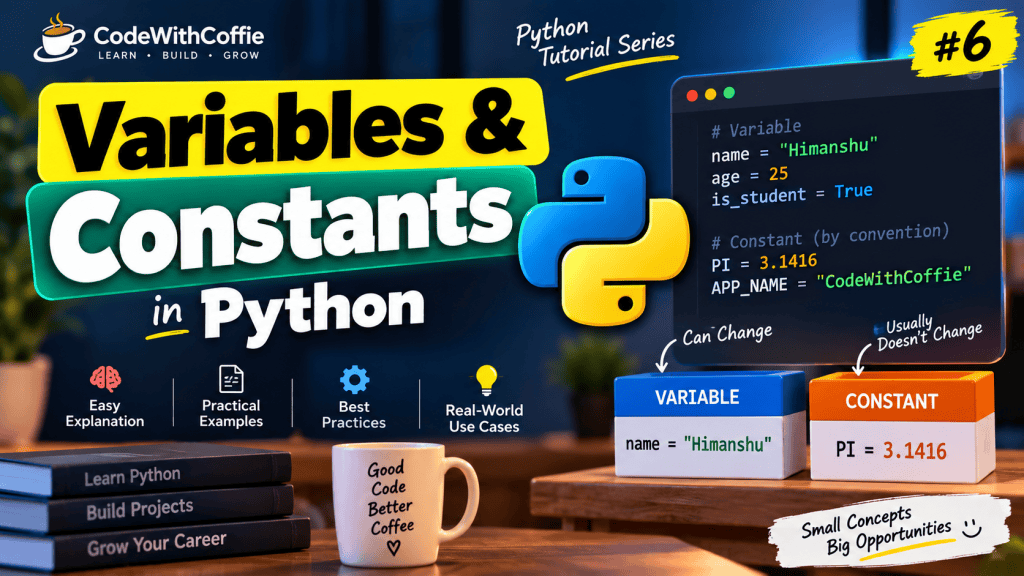
Variables and constants are fundamental concepts in Python programming. Whenever you write a program, you need to store information such as names, numbers, prices, or configuration values.
In this tutorial, we will learn what variables and constants are, how to create them, how Python handles data types, and how to follow proper naming conventions.
This guide is designed for beginners who are starting their Python programming journey.
What You Will Learn
- What a variable is in Python
- How to create and assign variables
- How to use variables in programs
- Python variable naming rules
- Different data types used with variables
- How to reassign variables
- What constants are in Python
- The difference between variables and constants
- Best practices for naming variables and constants
- Common mistakes and practice questions
1. What Is a Variable in Python?
A variable is a name that refers to a value stored in a program.
For example, if you want to store a person’s name, you can create a variable called name.
name = "Himanshu"Here:
nameis the variable."Himanshu"is the value.=is the assignment operator.
You can use the variable later in your program:
name = "Himanshu"

print(name)Output:
HimanshuHow Variable Assignment Works
age = 25Python creates the integer value 25 and makes the name age refer to it.
You can think of a variable as a label attached to a value.
age ─────► 25In Python, variables are names that refer to objects. They do not need to be declared with a separate data type.
2. Creating Variables in Python
Python does not require a special keyword to declare a variable. You simply assign a value to a name.
name = "Himanshu"
age = 25
salary = 45000.50
is_developer = TruePython automatically determines the type of each value.
Example
name = "Himanshu"
age = 25

print(name)
print(age)Output:
Himanshu
253. Variables Can Store Different Data Types
Python variables can refer to values of different data types.
name = "Himanshu" # String
age = 25 # Integer
price = 99.99 # Float
is_active = True # BooleanCommon Data Types
| Data Type | Example | Description |
|---|---|---|
str | "Hello" | Text |
int | 25 | Whole number |
float | 99.99 | Decimal number |
bool | True | True or false |
list | [1, 2, 3] | Ordered collection |
tuple | (1, 2, 3) | Immutable collection |
dict | {"name": "Himanshu"} | Key-value collection |
NoneType | None | Represents no value |
Check the Type of a Variable
Use the type() function:
age = 25
name = "Himanshu"
print(type(age))
print(type(name))Output:
<class 'int'>
<class 'str'>4. Multiple Variable Assignment
Python allows you to assign values to multiple variables in one line.
name, age, city = "Himanshu", 25, "Gurugram"
print(name)
print(age)
print(city)Output:
Himanshu
25
GurugramYou can also assign the same value to multiple variables:
x = y = z = 100

print(x)
print(y)
print(z)Output:
100
100
1005. Variable Naming Rules in Python
Python has specific rules for naming variables.
Valid Rules
- A variable name can contain letters, numbers, and underscores.
- A variable name cannot start with a number.
- A variable name cannot contain spaces.
- Python variable names are case-sensitive.
- A variable name cannot be a Python keyword.
Valid Examples
name = "Himanshu"
age25 = 25
user_name = "Himanshu"
_total = 1000Invalid Examples
2name = "Himanshu"       # Invalid
user name = "Himanshu"   # Invalid
class = "Python" # InvalidThe invalid examples will produce a syntax error.
Case Sensitivity
Python treats uppercase and lowercase names as different.
name = "Himanshu"
Name = "Rahul"

print(name)
print(Name)Output:
Himanshu
Rahulname and Name are two different variables.
6. Python Variable Naming Convention
The recommended naming style for variables in Python is snake_case.
first_name = "Himanshu"
last_name = "Sharma"
total_price = 500Avoid unclear names:
x = 500
a = "Himanshu"Prefer meaningful names:
total_price = 500
customer_name = "Himanshu"Meaningful names make your code easier to read and maintain.
7. Reassigning Variables
Python variables can be reassigned to a new value.
age = 25
print(age)

age = 26
print(age)Output:
25
26You can also assign a different data type to the same variable:
value = 100
print(value)

value = "Hello"
print(value)Output:
100
HelloPython is dynamically typed, so the same variable name can refer to values of different types at different times.
8. Using Variables in Expressions
Variables can be used in calculations and expressions.
price = 100
quantity = 3

total = price * quantity

print(total)Output:
300Example: Calculate a Discount
price = 1000
discount = 10

discount_amount = price * discount / 100
final_price = price - discount_amount

print("Discount:", discount_amount)
print("Final Price:", final_price)Output:
Discount: 100.0
Final Price: 900.09. Variables and String Formatting
You can use variables inside strings with f-strings.
name = "Himanshu"
age = 25

print(f"My name is {name} and I am {age} years old.")Output:
My name is Himanshu and I am 25 years old.F-strings are one of the easiest ways to combine text and variables in Python.
10. What Is a Constant in Python?
A constant is a value that is intended to remain unchanged throughout a program.
Unlike some programming languages, Python does not have a built-in keyword that makes a variable truly constant.
Instead, Python uses a naming convention:
Constants are written in UPPERCASE letters, with words separated by underscores.
Example
PI = 3.14159
MAX_USERS = 100
APP_NAME = "My Python App"These names indicate that their values should not be changed.
Important Note
Python does not prevent reassignment of constants.
PI = 3.14159

PI = 3.14

print(PI)Output:
3.14The reassignment works because Python does not enforce constants by default.
The uppercase naming convention is a signal to developers: “Do not change this value.”
11. Variables vs Constants
| Feature | Variable | Constant |
|---|---|---|
| Purpose | Stores values that may change | Stores values intended to remain unchanged |
| Naming style | snake_case | UPPER_SNAKE_CASE |
| Can be reassigned? | Yes | Yes, technically |
| Python enforcement | No restriction | No built-in enforcement |
| Example | user_age = 25 | MAX_USERS = 100 |
Example
user_age = 25          # Variable
MAX_LOGIN_ATTEMPTS = 3 # ConstantThe user’s age may change, but the maximum login attempts is intended to remain fixed.
12. Constants in a Real Python Project
Constants are useful for values such as:
- Application names
- API URLs
- Maximum limits
- Mathematical values
- Configuration defaults
- File paths
- Status codes
Example
APP_NAME = "CodeWithCoffee"
MAX_LOGIN_ATTEMPTS = 3
DEFAULT_LANGUAGE = "en"

print(APP_NAME)
print(MAX_LOGIN_ATTEMPTS)
print(DEFAULT_LANGUAGE)In larger projects, constants are often placed in a separate file such as constants.py.
Example Project Structure
python-project/
│
├── app.py
├── constants.py
└── requirements.txtconstants.py
APP_NAME = "CodeWithCoffee"
MAX_LOGIN_ATTEMPTS = 3app.py
from constants import APP_NAME, MAX_LOGIN_ATTEMPTS

print(APP_NAME)
print(MAX_LOGIN_ATTEMPTS)This keeps reusable constant values organized.
13. Variables vs Constants in PHP
If you know PHP, the concept may look familiar.
PHP Constant
define("APP_NAME", "CodeWithCoffee");Python Constant
APP_NAME = "CodeWithCoffee"The difference is that Python’s uppercase naming convention does not enforce immutability.
Python relies on developer discipline and conventions.
14. Common Mistakes
Mistake 1: Starting a Variable Name with a Number
1name = "Himanshu"Why it is wrong: Variable names cannot start with a number.
Correct:
name1 = "Himanshu"Mistake 2: Using Spaces in Variable Names
first name = "Himanshu"Correct:
first_name = "Himanshu"Mistake 3: Using a Python Keyword
class = "Python"Correct:
class_name = "Python"Mistake 4: Assuming Uppercase Makes a Value Immutable
MAX_USERS = 100
MAX_USERS = 200Python allows this. Uppercase is only a convention.
Mistake 5: Using Unclear Variable Names
x = 45000Prefer:
monthly_salary = 4500015. Best Practices
- Use meaningful variable names.
- Follow
snake_casefor variables and functions. - Use
UPPER_SNAKE_CASEfor constants. - Avoid single-letter names unless they are used for simple counters.
- Keep variable names descriptive but concise.
- Do not use Python keywords as variable names.
- Avoid unnecessary reassignment.
- Keep constants in a separate module in larger projects.
- Remember that Python constants are conventions, not enforced restrictions.
16. Practice Questions
Try solving these questions yourself:
- Create a variable named
student_nameand assign your name. - Create variables for age, height, and is_student.
- Print the data type of each variable.
- Create three variables in one line.
- Calculate the total price using
priceandquantity. - Create a constant named
MAX_SCORE. - Explain the difference between a variable and a constant.
- Write a program that calculates the area of a rectangle.
Practice Example
length = 10
width = 5

area = length * width

print("Area of rectangle:", area)Output:
Area of rectangle: 50Conclusion
In this tutorial, we learned how variables and constants work in Python. We covered variable creation, data types, naming rules, reassignment, expressions, and string formatting.
We also learned that Python constants are written in uppercase, but Python does not enforce them as immutable values.
Understanding variables and constants is essential because almost every Python program uses them to store and manage information.