
Difference between synchronous and asynchronous code.
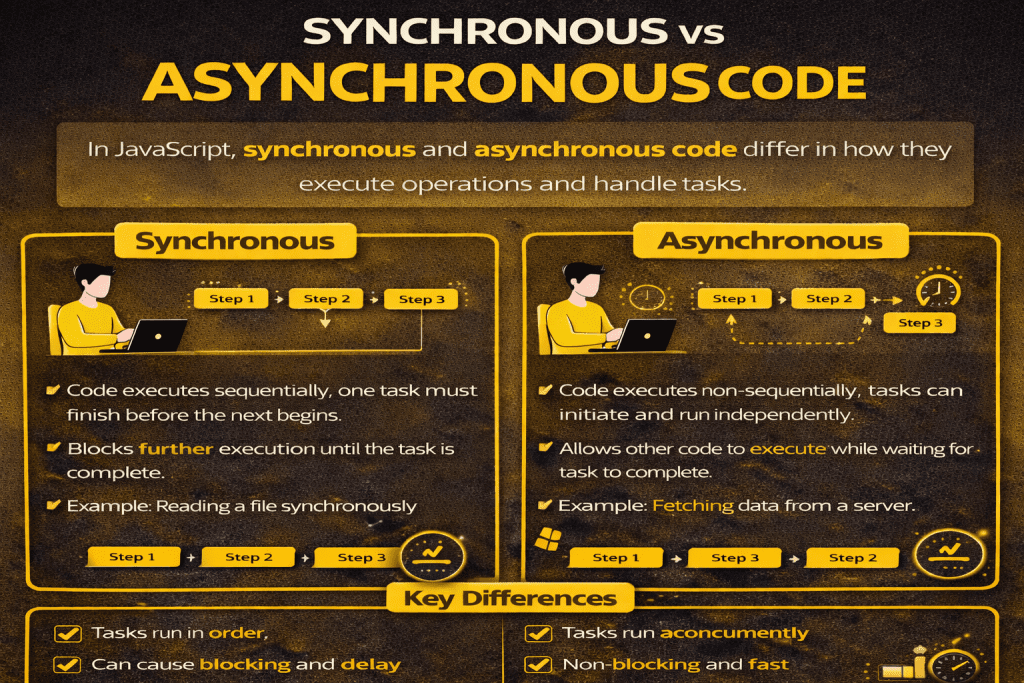
Here’s a clear breakdown of synchronous vs asynchronous code in programming, especially in JavaScript:
1. Synchronous Code
- Definition: Code that executes line by line, one after the other. Each operation must finish before the next one starts.
- Behavior: Blocks further execution until the current task completes.
- Analogy: Waiting in a queue at a bank—one person is served at a time.
Example in JS:
console.log("Start");

function waitThreeSeconds() {
  const start = Date.now();
  while (Date.now() - start < 3000) {
    // Blocking loop for 3 seconds
  }
  console.log("Finished waiting");
}

waitThreeSeconds();
console.log("End");
Output:
Start
Finished waiting
End
Notice how “End” waits until the 3-second function finishes.
2. Asynchronous Code
- Definition: Code that can start a task and move on without waiting for it to finish. Completion is handled later (via callbacks, promises, or async/await).
- Behavior: Non-blocking; other code continues to run.
- Analogy: Ordering food at a restaurant and reading a book while waiting—when the food is ready, you’re notified.
Example in JS (setTimeout):
console.log("Start");

setTimeout(() => {
  console.log("Finished waiting");
}, 3000);

console.log("End");
Output:
Start
End
Finished waiting
Notice “End” prints before the waiting task completes.
Key Differences
| Aspect | Synchronous | Asynchronous |
|---|---|---|
| Execution | One after another | Can run concurrently |
| Blocking | Yes | No |
| Example tasks | Calculations, loops | API calls, timers, file reads |
| JavaScript handling | Normal function calls | Callbacks, Promises, async/await |
| Flow control | Easy to reason about | Requires event-driven thinking |
💡 Tip:
Use synchronous code for tasks that must happen in order, and asynchronous code for tasks that take time (like network requests) to avoid freezing the program.
No comments yet! You be the first to comment.